
by DNSFilter on Jun 8, 2025, 9:15:00 AM
Webroot has established itself as a trusted name in endpoint security, protecting hundreds of thousands of customers worldwide with its cloud-based antivirus solution. Known for its remarkably lightweight agent and lightning-fast scans, Webroot delivers comprehensive device protection without the performance impact that plagues many traditional antivirus programs.To create this Webroot review, I've analyzed the platform extensively. I believe it's the ideal choice if:
- You need lightweight antivirus that won't slow down your devices
- You value cloud-based protection with real-time threat updates
- You want comprehensive features including identity protection and password management
- You're a small business or home user seeking straightforward endpoint security
- You prefer minimal system resource usage over extensive customization options
However, while Webroot excels at protecting individual endpoints and offers its own DNS Protection service, many organizations benefit from a multi-layered approach with specialized solutions.
This is where DNSFilter enters the picture as a best-of-breed alternative: a dedicated DNS-layer security platform that blocks threats at the network level before they ever reach your endpoints, detecting dangerous sites 10 days sooner than traditional threat detection sites.
For organizations already using DNS filtering solutions like Cisco Umbrella, DNSFilter presents a compelling switching opportunity with superior ease of deployment and management.
Together, Webroot and DNSFilter can create a comprehensive security stack. Webroot protects your devices from malware that attempts to execute, while DNSFilter provides specialized DNS filtering with unique AI capabilities that outpace competitors. For businesses seeking defense-in-depth, this combination provides layered protection to combat today's advanced threats.
Table of contents:
- What is Webroot?
- Webroot Pros & Cons
- Webroot Review: How it Works & Key Features
- Webroot's DNS Protection Capabilities
- The Alternative Approach: DNSFilter
- Webroot and DNSFilter: Security Layer Comparison
- Final Verdict
What is Webroot?
Webroot was founded in 1997 by Steven Thomas and his girlfriend Kristen Tally, initially focusing on privacy protection tools with their first product, Window Washer.

The company evolved from addressing spyware threats in the early 2000s to becoming a comprehensive endpoint security provider, launching Spy Sweeper in 2002 and adding antivirus protection in 2006.
A pivotal shift occurred in 2010 when Webroot acquired Prevx and transitioned to a cloud-based architecture. This move positioned them as early adopters of lightweight, cloud-powered security solutions. Today, Webroot operates as a subsidiary of OpenText, following acquisitions by Carbonite in 2019 and subsequently by OpenText.
The platform's core strength lies in its cloud-based approach, which offloads threat analysis to the cloud rather than relying on bulky signature databases on each device. This results in an agent of about 15MB that can complete full system scans in under a minute. Webroot's threat intelligence platform continuously analyzes data from millions of endpoints worldwide, providing real-time protection against emerging threats.
Webroot serves a diverse customer base, from individual consumers and families to small and medium-sized businesses. The platform particularly appeals to users who want robust protection without sacrificing system performance, and businesses that need effective endpoint security without complex management overhead.
Webroot Pros & Cons
|
Pros |
Cons |
|---|---|
|
✅ Extremely lightweight agent (under 5MB) |
❌ Outdated independent lab test results |
|
✅ Lightning-fast scans often under 60 seconds |
❌ No permanent free plan available |
|
✅ Cloud-based real-time threat intelligence |
❌ DNS Protection reporting delays (15-minute lag) |
|
✅ Minimal impact on system performance |
❌ Complex policy management interface for businesses |
|
✅ Includes identity protection and password manager (in higher tiers) |
❌ May require exclusions with some security software |
|
✅ Journaling and rollback for automated remediation |
❌ Limited recent third-party performance testing |
Webroot Review: How it Works & Key Features
Cloud-Based Architecture and Threat Intelligence
Webroot's defining characteristic is its cloud-based architecture.
Unlike traditional antivirus solutions that download massive signature databases to each device, Webroot maintains its threat intelligence in the cloud. When a file is encountered, the local agent sends file information to Webroot's BrightCloud Threat Intelligence Platform for analysis.
This platform processes threat data from over 95 million consumer and business endpoints, analyzing billions of URLs, IPs, files, and mobile applications. The system uses sixth-generation machine learning to identify patterns and predict threats. Files that aren't immediately classified undergo behavioral analysis, with activities journaled for potential reset if deemed malicious.
Real-Time Protection and Remediation
The platform provides multiple protection shields working in concert.
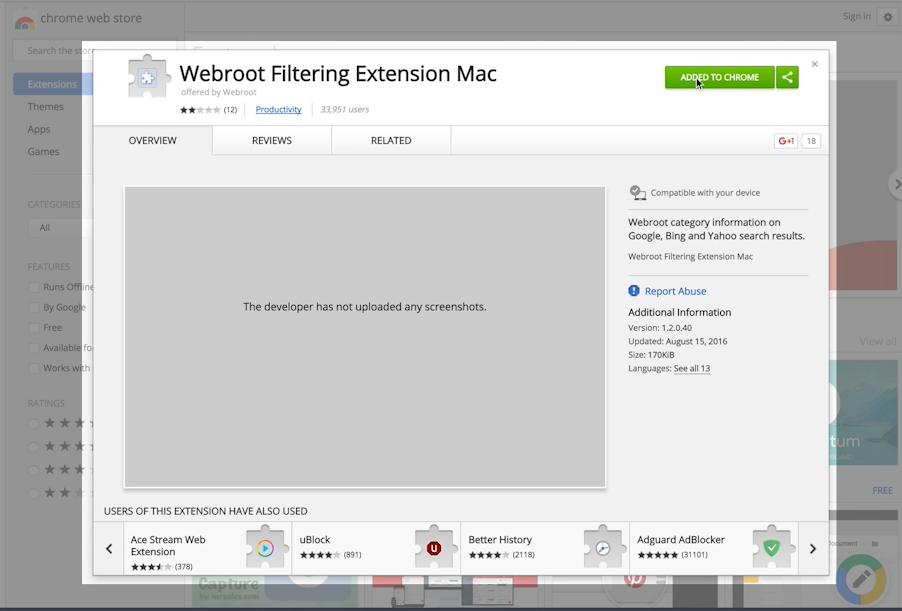
The Real-Time Shield blocks known threats based on cloud intelligence, while the Behavior Shield analyzes application actions to identify suspicious activities from unknown threats. The Web Threat Shield blocks access to malicious websites, and the Identity Shield protects sensitive data during online transactions.
Source: Webroot
A standout capability is Webroot's automated remediation through journaling and rollback. When an unknown process executes, Webroot records all its activities. If later determined malicious, the system automatically reverses every change made, restoring files and registry settings to their pre-infection state. This significantly reduces the need for time-consuming system reimaging that other solutions might require.
Security Beyond Core Antivirus
Webroot extends beyond basic antivirus with several additional features. The platform includes identity protection powered by Allstate (available in premium plans), offering dark web monitoring, credit monitoring, and up to $1 million in fraud expense reimbursement.
The password manager, provided through a partnership with LastPass Premium, gives users secure credential storage and generation capabilities (note that these features are included in Internet Security Plus and Complete tiers, but not the entry-level AntiVirus product).

Source: Webroot
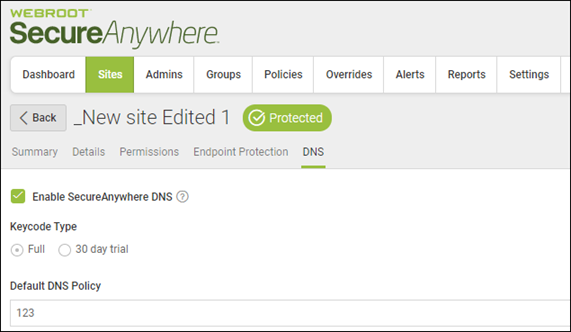
The platform also includes a DNS Protection feature for business users, designed to filter DNS requests and block access to malicious domains.
This feature operates through either agent deployment on individual devices or network-level configuration. It provides content filtering across 80+ URL categories, can block known malicious domains, and includes machine learning-based threat detection with customizable policy controls.
Deployment and Management
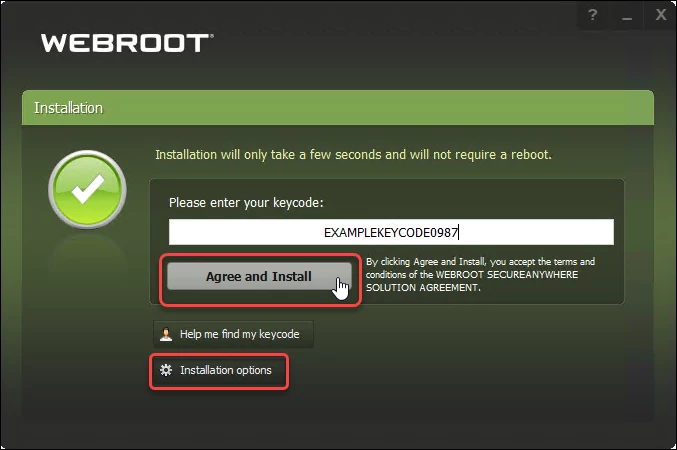
For home users, Webroot offers a simple installation process with a small download and quick setup using a keycode.
Source: Webroot
Default protections activate immediately upon installation. Business deployment supports multiple methods including manual installation, Group Policy deployment, and third-party deployment tools. The cloud-based management console allows administrators to manage endpoints remotely without on-premises infrastructure.
The console provides policy management capabilities, allowing administrators to configure security settings and view threat reports. For managed service providers, Webroot offers Global Site Manager, enabling management of multiple customers from a single dashboard with global policy capabilities.
Webroot's DNS Protection Capabilities
It's important to note that Webroot does offer its own DNS Protection service, which includes:
- Content filtering across 80+ categories
- Machine learning-based threat intelligence
- Per-user request logging and reporting
- Multi-tenant MSP console with Global Site Manager
- Customizable branding options for MSPs
- Global policy management across organizations
- DNS request reports showing top sites and user activity
Source: Webroot
While Webroot's DNS Protection provides these capabilities, organizations seeking best-of-breed DNS security often evaluate specialized vendors that focus exclusively on this layer of protection, particularly those looking to replace or upgrade from solutions like Cisco Umbrella.
The Alternative Approach: DNSFilter
For organizations ready to upgrade their DNS security – particularly those currently using Cisco Umbrella or other legacy solutions – DNSFilter provides a best-of-breed alternative.
Founded in 2015 by Ken Carnesi, a former ISP owner frustrated with existing DNS security solutions, DNSFilter has grown to protect over 43,000 organizations with its AI-powered threat detection that identifies threats 10 days sooner than traditional solutions.
DNSFilter particularly excels for mid-market companies (1,000-5,000 employees) and Managed Service Providers (MSPs) – the only sector the company specifically targets – who need enterprise-grade DNS security without the complexity of traditional enterprise solutions.
AI-Powered DNS Security: The 10-Day Advantage
DNSFilter's primary differentiator lies in its threat detection speed.
The platform processes over 200 billion DNS queries daily through what the company positions as the world's fastest DNS network, using artificial intelligence to identify malicious domains an average of 10 days faster than competitors. With entities launching thousands of new dangerous websites daily, this speed advantage is critical for organizations that can't afford to wait for traditional threat feeds to catch up.
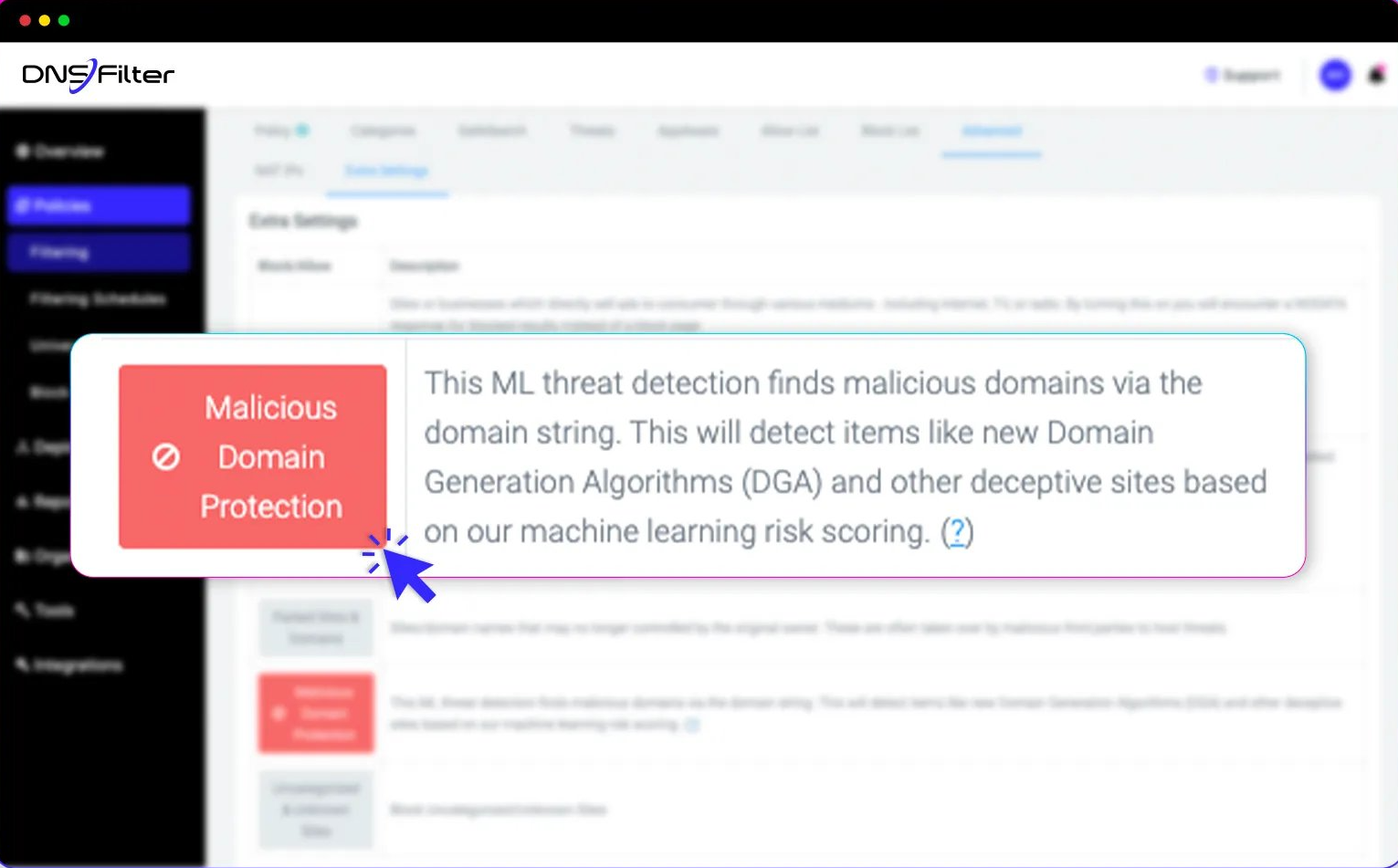
The Malicious Domain Protection feature specifically targets zero-day threats and domains generated by algorithms (DGAs) that advanced malware uses.
Source: DNSFilter
During testing, this feature identified over 7,000 risky domains not yet flagged by other threat intelligence sources; some identified up to 59 days before appearing in competitor databases. The system inspects domain strings themselves, assessing risk even for newly registered or previously unseen domains through constant Internet crawling and proprietary algorithms.
Enterprise-Grade Content Control Made Simple
Unlike complex enterprise solutions like Cisco Umbrella, DNSFilter delivers advanced filtering capabilities through an interface designed for ease of use.
The platform provides web filtering across 80+ content categories, from adult content and gambling to social media and CSAM. Administrators can block entire categories with single clicks, simplifying policy configuration compared to traditional enterprise solutions.
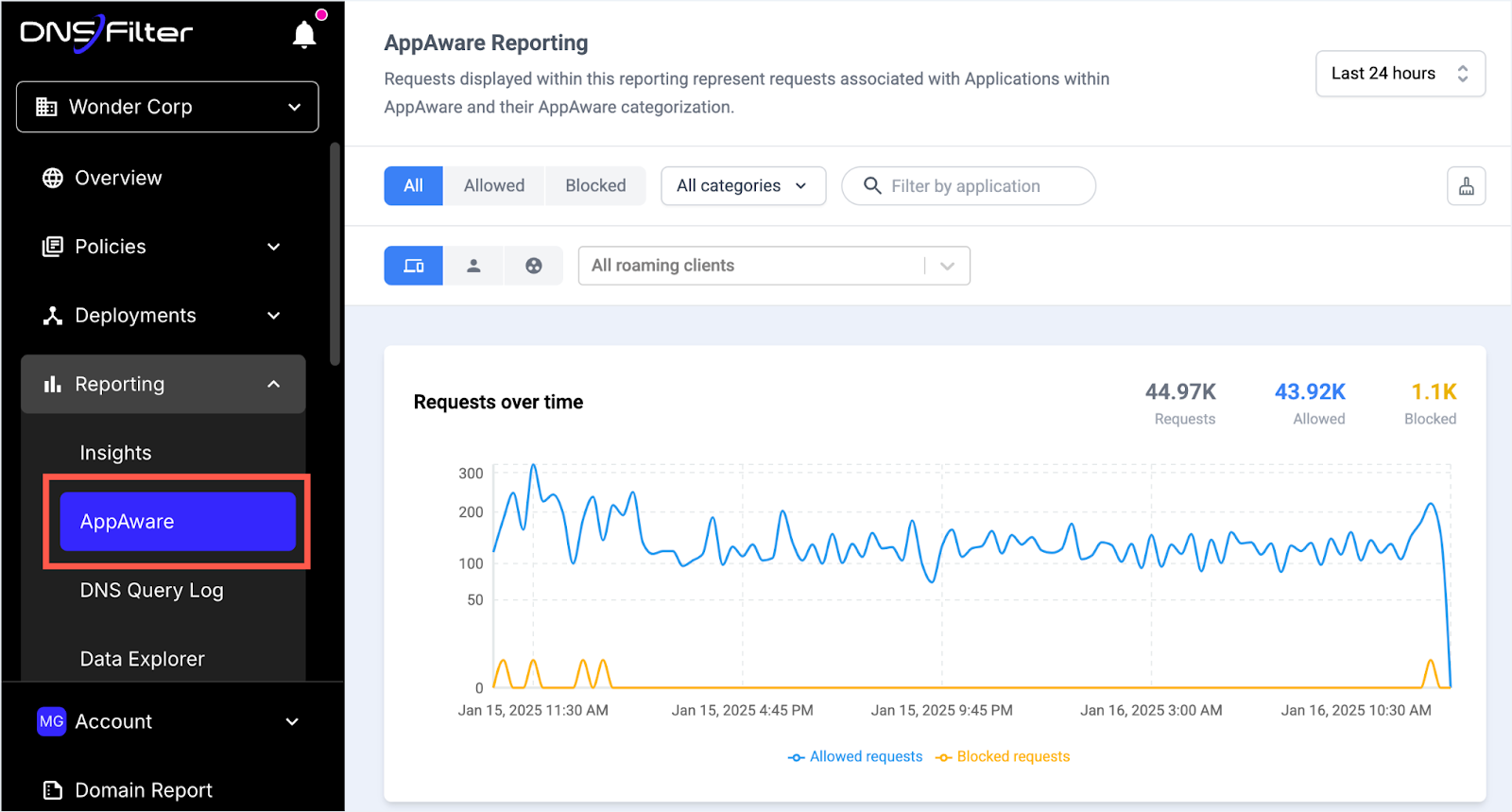
The AppAware feature eliminates the complexity of application blocking by bundling all domains associated with specific applications.
Source: DNSFilter
Administrators can block over 100 applications including Discord, TeamViewer, or various service ecosystems with one action. The platform enforces SafeSearch on major search engines and restricted mode on YouTube automatically.
Time-based policies allow different filtering rules during work hours versus breaks, while per-user and per-group policies enable customized access based on roles, all manageable through an interface that deploys in minutes rather than the weeks often required for enterprise alternatives.
MSP-First Architecture: Built for Scale
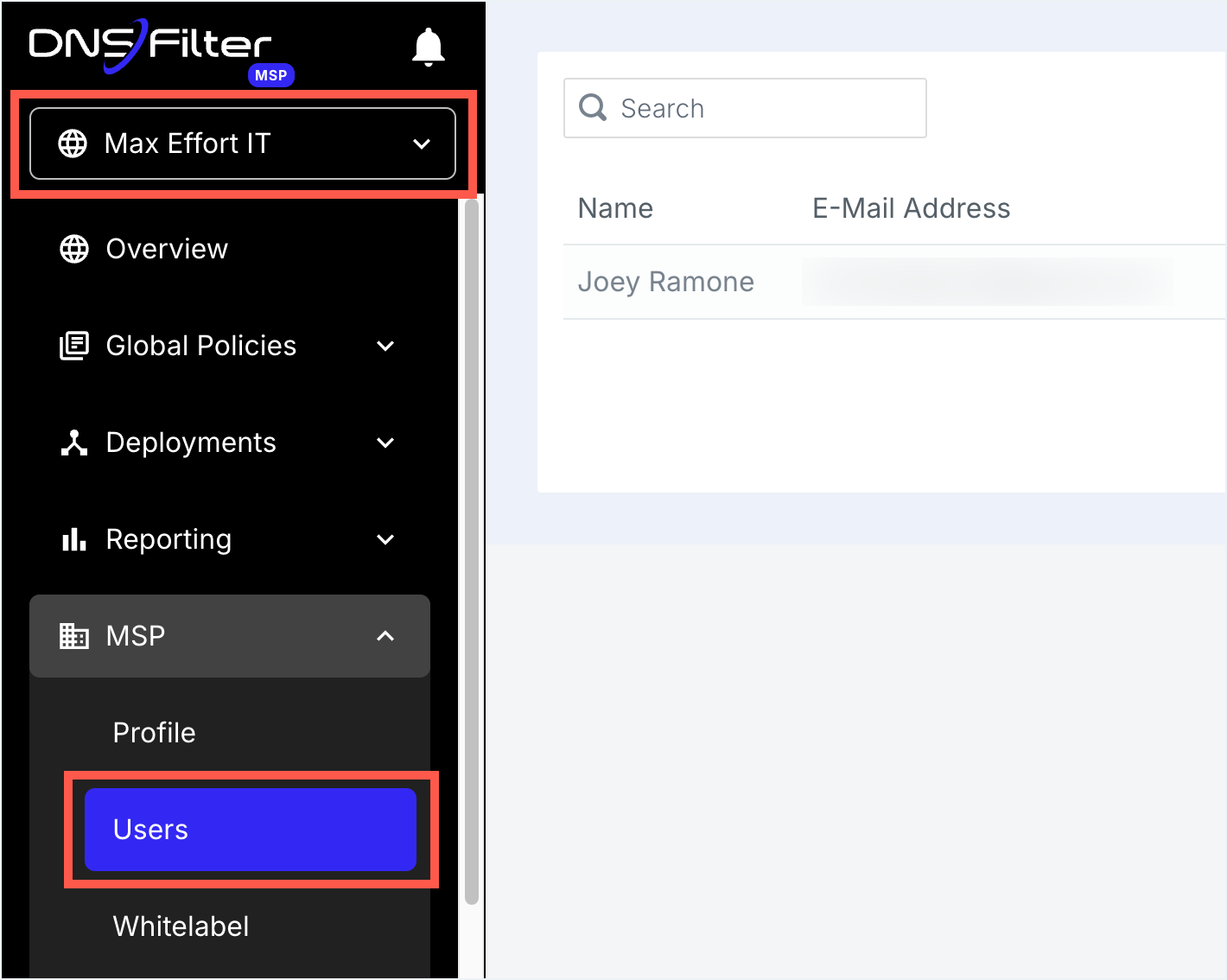
As the only sector DNSFilter specifically targets, MSPs benefit from purpose-built multi-tenant architecture.
The platform enables small MSPs to start with minimal investment and expand organically by adding clients with zero friction; a land-and-expand model that explains why almost half of DNSFilter's traffic comes from companies with 100 employees and below.
Source: DNSFilter
The MSP dashboard provides centralized management across all client organizations, with global policies that establish baseline security standards while allowing client-specific customization. Branding options allow MSPs to brand the service as their own, while native integrations with six major PSA platforms including ConnectWise and Datto Autotask streamline billing and management.
For MSPs currently deploying Cisco Umbrella or other complex solutions, DNSFilter offers switching incentives which reduces the time required for deployment and ongoing management.
Deployment in Minutes, Protection Everywhere
DNSFilter's deployment simplicity stands in stark contrast to traditional enterprise solutions.
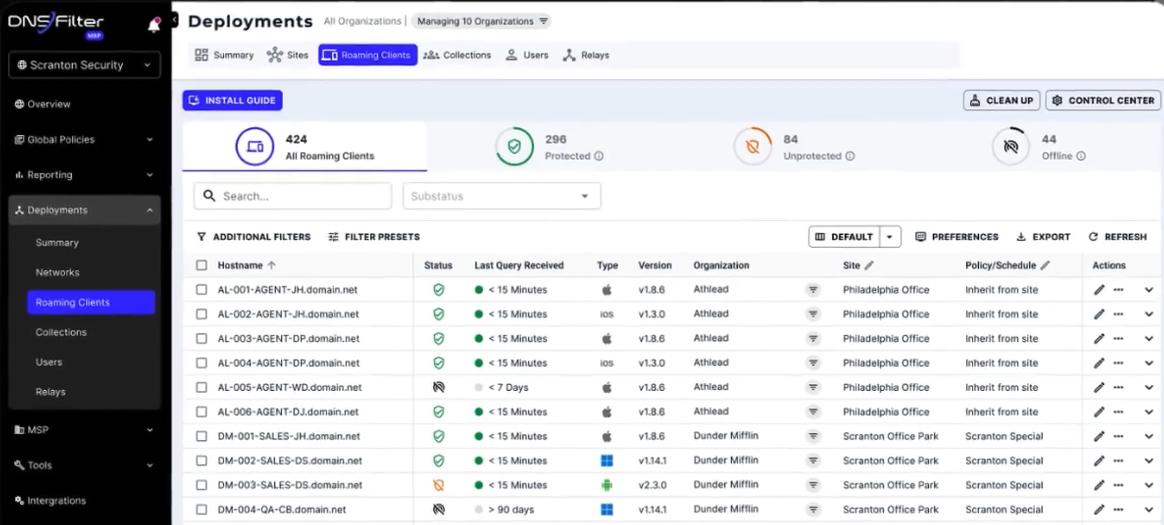
The platform protects users through multiple deployment options that can be operational in minutes. Network-level deployment covers all devices by configuring DNS settings on routers or firewalls. Roaming clients for Windows, Mac, iOS, Android, and ChromeOS ensure protection follows users anywhere; particularly important for organizations with remote workers.
Source: DNSFilter
The platform's global anycast network ensures reliable, fast DNS resolution with no single point of failure, maintaining the performance advantage that positions DNSFilter as operating the world's fastest DNS network. Data export capabilities allow organizations to send DNS logs to SIEM platforms for correlation with other security data.
Webroot and DNSFilter: Security Layer Comparison
|
Aspect |
Webroot |
DNSFilter |
|---|---|---|
|
Protection Layer |
Endpoint/Device Level + DNS (with DNS Protection add-on) |
DNS/Network Level (specialized best-of-breed) |
|
Primary Function |
Antivirus and malware protection |
DNS filtering with 10-day faster threat detection |
|
Threat Detection Method |
File analysis, behavior monitoring, and BrightCloud intelligence |
AI-powered domain analysis with proprietary algorithms |
|
Protection Scope |
Individual devices (endpoint) or network (with DNS Protection) |
Entire network and all devices |
|
Best For |
Comprehensive endpoint security with optional DNS |
Organizations seeking to upgrade from Cisco Umbrella |
|
Management |
Per-device policies and optional DNS policies |
Simple deployment in minutes vs. weeks |
|
MSP Features |
Global Site Manager with multi-tenant support |
Purpose-built for MSPs with land-and-expand model |
|
Deployment |
Agent on each device, optional DNS configuration |
Network configuration or lightweight agents |
|
Content Filtering |
80+ categories (with DNS Protection) |
80+ categories with superior ease of management |
|
Network Performance |
Standard DNS resolution |
World's fastest DNS network |
|
Ideal Company Size |
SMBs and enterprises of all sizes |
Sweet spot: 1,000-5,000 employees and MSPs |
Final Verdict
Webroot and DNSFilter represent different approaches to security, each excelling in their specialized domains.
Webroot remains an excellent choice for endpoint protection, particularly for users valuing lightweight, fast, and effective antivirus that doesn't compromise system performance.
Its cloud-based architecture, automated remediation capabilities, and additional features like identity protection make it a solid foundation for device security. With its own DNS Protection add-on, Webroot can provide both endpoint and network-layer security in a single vendor solution.
For organizations seeking best-of-breed DNS security – particularly those looking to upgrade from Cisco Umbrella or other legacy solutions – DNSFilter offers a valid alternative.
Its 10-day faster threat detection, deployment that takes minutes instead of weeks, and purpose-built MSP features make it the premium choice for mid-market companies and managed service providers who prioritize security effectiveness over lowest price.
The platform particularly shines for companies with 1,000-5,000 employees who need enterprise-grade protection without enterprise complexity, and for MSPs seeking a solution that can grow with their business through the land-and-expand model.
See how DNSFilter compares to Webroot and start your free trial today.
For organizations considering a multi-vendor, best-of-breed approach, combining Webroot's endpoint protection with DNSFilter's specialized DNS security creates true defense in depth: DNSFilter blocks threats at the network level 10 days before competitors even know they exist, while Webroot eliminates any threats that reach the endpoint.
This layered approach provides comprehensive protection for organizations that can't afford to wait for traditional security solutions to catch up with today's rapidly evolving threats.
The choice between using Webroot's integrated DNS Protection or adding a specialized solution like DNSFilter ultimately depends on your priorities: single-vendor simplicity versus best-of-breed performance. For organizations where superior threat detection speed, ease of management, and specialized DNS expertise matter most, DNSFilter represents the clear upgrade path from commodity solutions.

 SecureTransit for MSPs: Digital Privacy Without Another Tool to Manage
MSPs need to boost client security without sacrificing efficiency or margin. Every extra tool, console, or license just adds overhead and slows down service delivery.
Privacy is a classic example. Clients want their remote and hybrid users protected from the networks they connect through and the trackers profiling them, but most solutions add another siloed tool and more operational work.