SIEM Integration with Data Export
All your critical data where you need it
Benefits
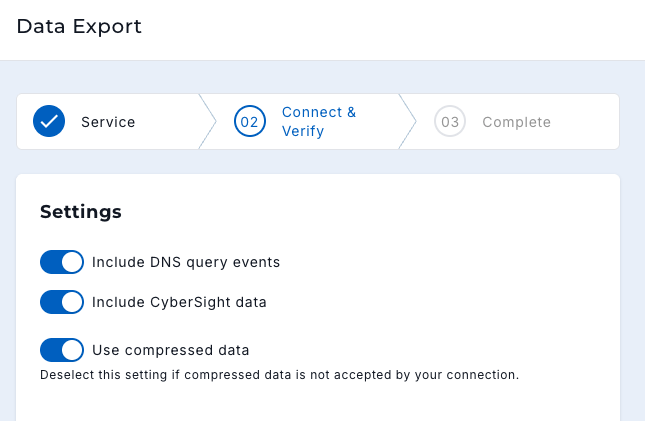
Data Export transmits your DNSFilter data out to external services for storage, processing, and analysis. Send DNS query data and CyberSight endpoint activity data to the same destinations, automate what used to be a manual export process, analyze trends and patterns in one location, and retain logs for whatever length of time your SIEM or SOAR supports.
Export Your CyberSight (User Behavior Analytics) Data
CyberSight Data Export brings endpoint user activity and analytics into the same Data Export workflow you already use for DNS query data. Give your security team a complete picture by pairing DNS-level threat data with endpoint behavior in the tools they work in every day.
With CyberSight Data Export, you can:
-
Send CyberSight endpoint activity data to any SIEM that can use the HTTP Event Collector (HEC), such as Splunk, or to Amazon S
-
Correlate user behavior, application usage, and full URL activity with your DNS query logs in one place
-
Investigate incidents faster with richer context, without switching between tools
-
Retain and report on endpoint activity for as long as your SIEM or SOAR allows
CyberSight Data Export uses the same configuration surface as DNS query export, so there is no new workflow to deploy. See the setup steps in the CyberSight Data Export configuration guide.
Integration
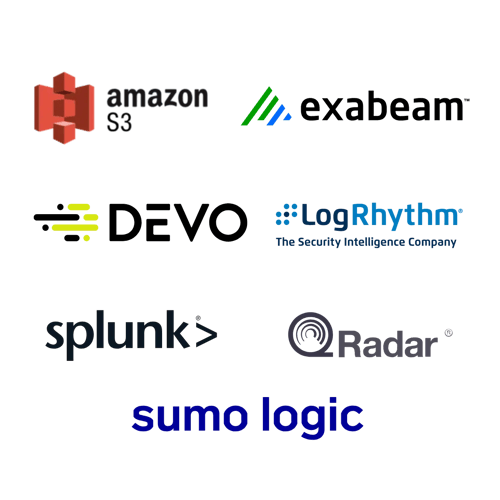
With our Data Export feature, you can send DNSFilter data directly to any SIEM that can use the HTTP Event Collector (HEC) or to Amazon S3. Export DNS query log data, CyberSight endpoint activity data, or both to a Security Information and Event Management (SIEM) platform, a Security Orchestration, Automation, and Response (SOAR) tool, or another tool of your choice. Exporting DNSFilter data lets you aggregate relevant data from multiple sources and then take action.
Getting Started
The ability to extract raw DNS query data from DNSFilter opens a whole new world of custom integrations and data analysis that can help customers with decision making, network troubleshooting, and building extensions for DNSFilter.
Frequently Asked Questions
What CyberSight data can I export?
CyberSight Data Export includes endpoint user activity and analytics, such as full URL logs,streaming events, application usage, login and logout events, machine lock, and idle time. This is different from DNS query export, which contains DNS-level request data. You can export either data type on its own or both together.
What do I need to use CyberSight Data Export?
You need to be actively using CyberSight to use CyberSight Data Export. CyberSight runs as a browser extension with Windows Roaming Clients v3.1.0 and later, so endpoint activity data comes from devices that have CyberSight deployed. You configure CyberSight Data Export from the same Data Export area in the app that you use for DNS query data.
Can I export CyberSight data and DNS query data to Microsoft Sentinel at the same time?
Not by default. Microsoft Sentinel requires a defined schema per table mapping, and DNSFilter's Data Export connects to only one table at a time. If a customer turns on both the CyberSight export and the DNS Query export but points them at a table mapped for only one of the two, the other data type will not appear, even though the toggle is on. Admins should be explicitly warned about this when configuring exports.
Join over 40,000 brands that trust DNSFilter
to keep them secure