
by DNSFilter Team on Jul 21, 2025, 8:15:00 AM
Infoblox has dominated the DDI (DNS, DHCP, and IP Address Management) market for over two decades, with over 75% of Fortune 500 companies relying on its infrastructure management capabilities. The platform excels at what it was built for: providing enterprise-grade network service management, automation, and reliability at massive scale.
While Infoblox has evolved to include comprehensive security features through add-on modules, many organizations find the complete suite complex and costly, leading them to evaluate specialized alternatives or additional layers of DNS protection.
To create this Infoblox review, I've analyzed the platform extensively.
Infoblox provides robust DDI infrastructure that large networks require, along with security capabilities through various add-on modules. However, with 80-90% of enterprises already deploying some form of DNS filtering, many organizations are now seeking the best DNS security solutions that can either complement their existing DDI infrastructure or serve as a more focused alternative for solely DNS protection needs.
DNSFilter represents this specialized approach: a cloud-native DNS security and content filtering platform that finds threats an average of 10 days sooner than traditional solutions through AI-powered detection. Operating on what they position as the world's fastest DNS network, DNSFilter deploys in minutes rather than weeks, making it ideal for organizations seeking superior threat protection without infrastructure complexity.
Whether used alongside Infoblox for defense-in-depth or as a standalone solution for organizations that don't require full DDI capabilities, DNSFilter delivers enterprise-grade protection with remarkable simplicity.
Table of contents:
- What is Infoblox?
- Infoblox Pros & Cons
- Infoblox Review: How it Works & Key Features
- Deployment and Management Considerations
- The Alternative Approach: DNSFilter
- Infoblox and DNSFilter: Workflow Comparison
- Final Verdict
What is Infoblox?
Infoblox was founded in 1999 in Chicago by Stuart Bailey, a University of Illinois student who sought to create a solution that would improve network management and combat rising internet security risks.

The company established itself as the market leader in DDI appliances by the early 2010s and has maintained that position since. By 2015, IDC reported that Infoblox held a dominant 49.9% share of the enterprise DDI market, with no other competitor holding more than 15%.
Strategic acquisitions like NetCordia for network automation and the shift to cloud-native solutions with BloxOne have kept Infoblox at the forefront of network infrastructure management.
Today, Infoblox serves over 75% of Fortune 500 companies with its comprehensive DDI platform. The company positions itself as providing secure, cloud-managed network services that unite networking and security. Their solutions are built on the Infoblox Grid architecture, which connects distributed appliances into a unified network with a shared database and management interface.
The ideal Infoblox customer is a large enterprise with complex, dynamic network environments spanning multiple domains and requiring high availability. Organizations embracing hybrid and multi-cloud strategies particularly benefit from Infoblox's ability to provide unified DDI management across on-premises data centers and cloud environments.
Infoblox Pros & Cons
|
Pros |
Cons |
|---|---|
|
✅ Market-leading DDI platform with proven enterprise reliability |
❌ High cost often prohibitive for smaller organizations |
|
✅ Centralized management through unified Grid architecture |
❌ Steep learning curve and complex initial setup |
|
✅ Extensive automation for DNS, DHCP, and IPAM tasks |
❌ Security features require additional licensing |
|
✅ Highly scalable from small sites to global enterprises |
❌ GUI can feel outdated with usability issues |
|
✅ Strong ecosystem with 200+ integrations |
❌ Requires significant expertise for management |
|
✅ Grid technology ensures high availability |
❌ Full feature set requires multiple add-on modules |
Infoblox Review: How it Works & Key Features
Core DDI Management with NIOS
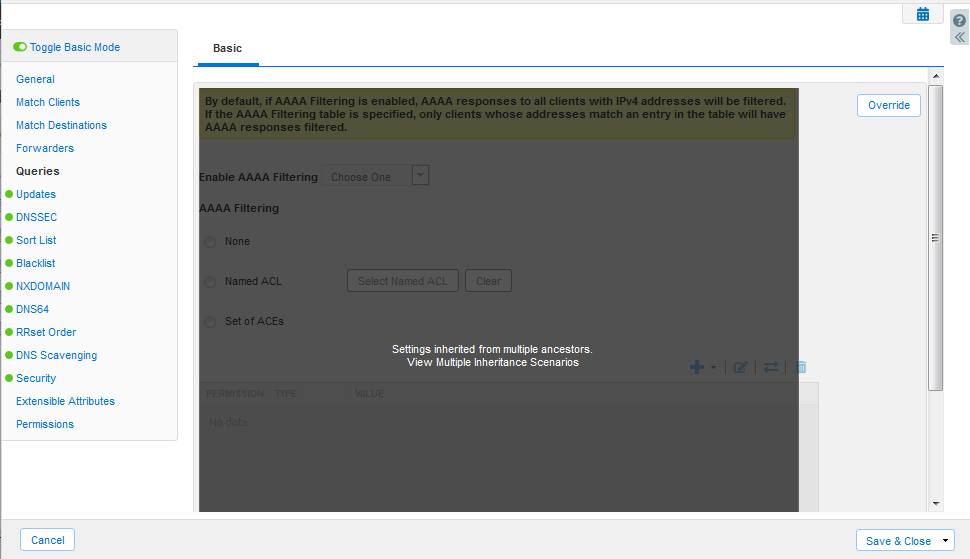
Infoblox's Network Identity Operating System (NIOS) DDI integrates DNS, DHCP, and IPAM into a unified platform delivered through physical or virtual appliances.
This integration replaces manual methods like spreadsheets and disparate tools with a single source of truth for all network IP resources.
Source: Infoblox
The platform operates through a Grid Manager that serves as the central control point. Administrators interact with the Grid Manager through a web-based interface or API to configure all aspects of DDI services. Grid Members, deployed throughout the network at data centers or office locations, handle the actual delivery of DNS and DHCP services while maintaining synchronized data with the Grid Manager.
A Forrester Consulting study found that Infoblox DDI saved 70% of networking engineer time spent on DDI activities and improved network uptime from 87% to 99.995%. The system automatically updates DNS records when DHCP leases are assigned, maintains an integrated IPAM database tracking all IP address information, and provides automated workflows for common tasks like IP address provisioning and reclamation.
Grid Architecture for Distributed Networks
The patented Infoblox Grid technology turns independent appliances into a single integrated system.
A Grid consists of a Grid Master maintaining the central database and Grid Members providing services at various network points. Most communication occurs over secure, encrypted VPN tunnels, though VRRP heartbeat traffic between high-availability pairs travels outside these tunnels.
The architecture supports efficient data synchronization across the Grid network. Grid Manager Candidates maintain full database copies for disaster recovery, allowing promotion to Grid Master if the primary fails. High-availability pairs provide service-level redundancy with automatic failover.
This distributed yet centralized approach allows organizations to manage large-scale deployments across global networks from a single interface. The Grid supports deployment flexibility with physical appliances, virtual machines on VMware, Hyper-V, and KVM, and cloud instances in AWS and Azure.
Cloud-Native DDI with BloxOne
BloxOne DDI represents Infoblox's cloud-native evolution, delivered as a SaaS offering for managing DDI across hybrid and multi-cloud environments.
The solution addresses scalability limitations of traditional DDI and complexity in distributed locations.
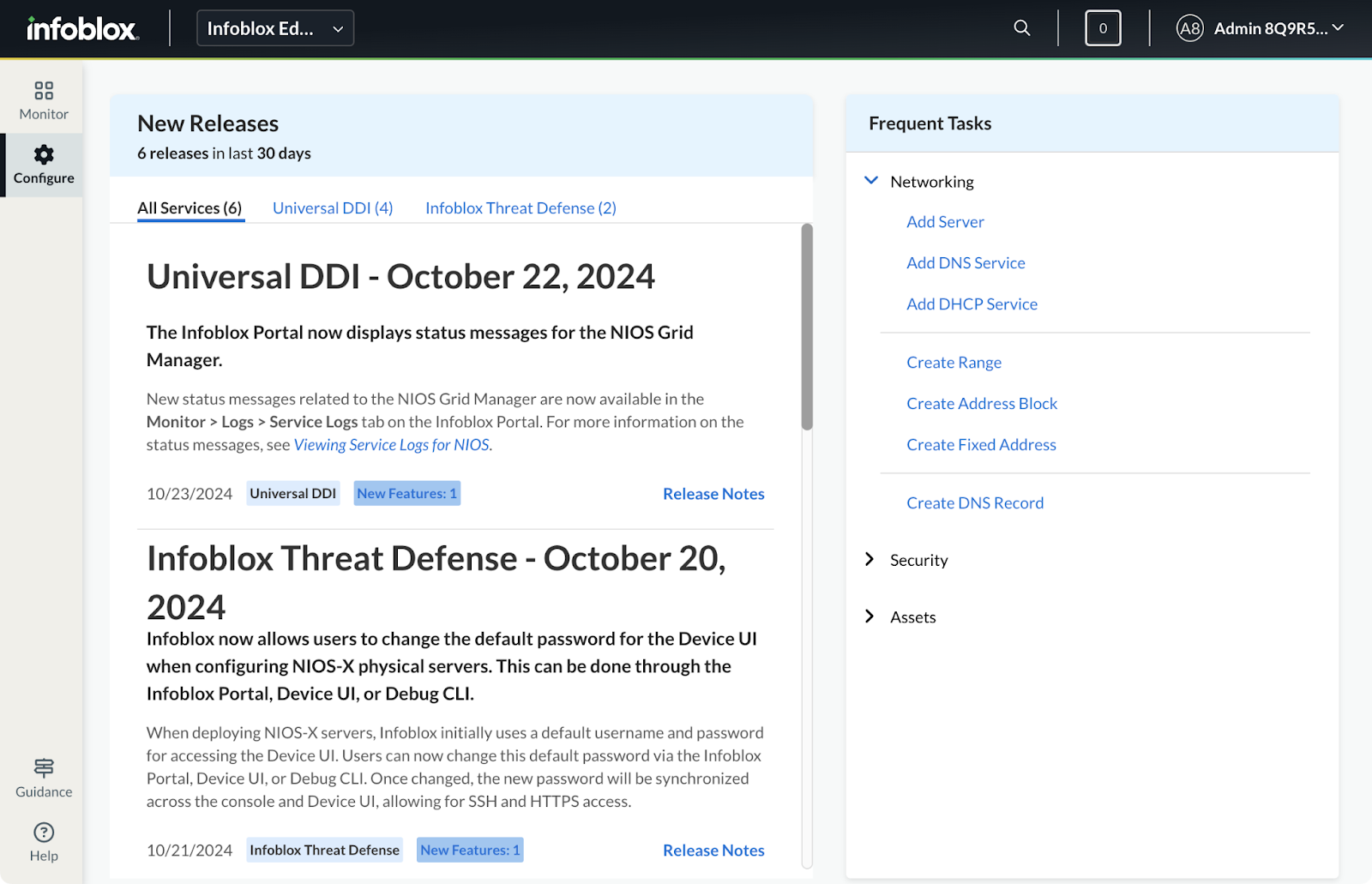
Management occurs through the Infoblox Portal (formerly Cloud Services Portal), providing a single interface for DDI configuration across all locations. On-premises hosts deployed as virtual appliances, Docker containers, or hardware appliances deliver local DNS and DHCP services while being centrally managed from the cloud.
Source: Infoblox
The architecture ensures local survivability: if a remote site loses connection to the central network, on-premises hosts continue providing DNS and DHCP services. Zero-touch provisioning allows automatic configuration of new hosts using secure join tokens. Software updates and patches are automatically pushed from the cloud, ensuring all hosts run current versions.
Network Discovery with Network Insight
Network Insight provides automated discovery and management of network devices, creating comprehensive visibility into network infrastructure.
The solution uses probes deployed across the network to actively scan and collect data using SNMP, CLI, and analysis of ARP tables and routing information.
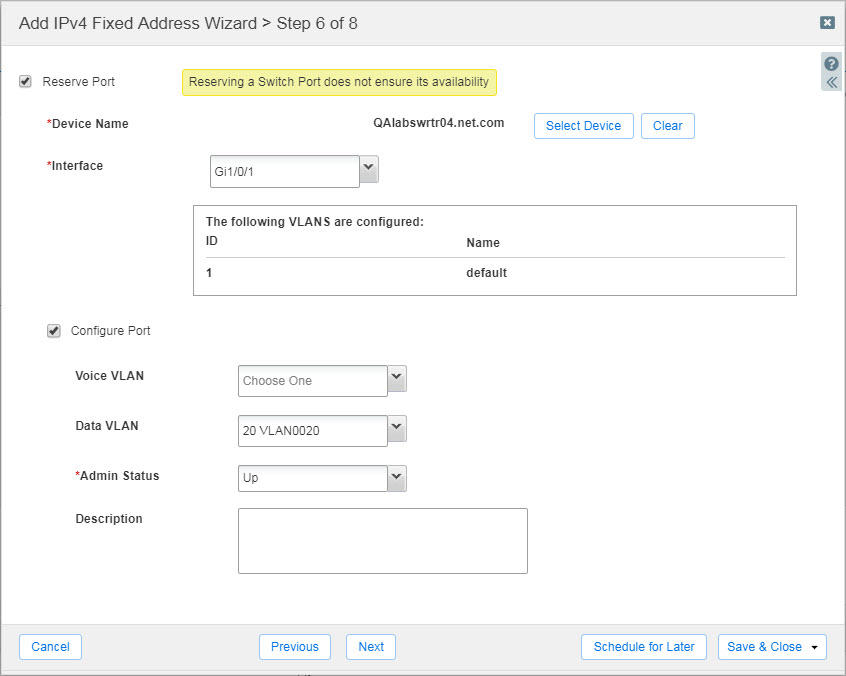
The system performs device fingerprinting to identify type, vendor, and model while maintaining synchronization with the IPAM database. It maps IP addresses to specific switch ports, providing clear physical network topology visibility. Rogue device detection identifies unmanaged devices on the network, with contextual information including IP address and MAC address.
Integration with the broader Infoblox platform enables port control capabilities, allowing administrators to remotely enable or disable switch ports directly from the interface for isolating compromised or non-compliant devices.
Source: Infoblox
Deployment and Management Considerations
While Infoblox offers comprehensive DDI and security capabilities, several factors influence deployment decisions.
The platform's enterprise focus brings both benefits and challenges that organizations must carefully evaluate, particularly when 80-90% of enterprises already have some form of DNS security deployed and are evaluating switching costs versus incremental benefits.
Cost considerations often prove significant for organizations.
Infoblox's enterprise pricing typically starts in five or six figures annually, reflecting its positioning as a comprehensive infrastructure platform. Organizations primarily seeking DNS security rather than full DDI capabilities may find this investment challenging to justify, particularly when advanced DNS security solutions deliver superior threat protection at a fraction of the cost.
Complexity presents another key consideration, especially compared to modern cloud-native alternatives that deploy in minutes.
The platform requires significant expertise to deploy and manage effectively, with many organizations needing dedicated teams familiar with Grid architecture and extensive configuration options. Initial deployment can take days to weeks depending on scale, while specialized DNS security solutions can be operational in under an hour.
The modular licensing approach means organizations must carefully plan their feature requirements.
Core DDI functionality comes with the base license, but advanced security features, threat intelligence feeds, and enhanced content filtering each require separate add-on modules. This can lead to unexpected costs as organizations discover they need multiple modules to achieve the DNS security functionality that comes standard with focused solutions.
For organizations with existing infrastructure investments, integration complexity varies. While Infoblox offers extensive APIs and pre-built integrations, implementing these connections requires technical expertise and ongoing maintenance. Many organizations in the 1,000-5,000 employee range find this overhead excessive for their needs, particularly when simpler alternatives exist.
The Alternative Approach: DNSFilter
DNSFilter takes a different approach to DNS security, focusing on finding threats faster than any competitor while maintaining remarkable deployment simplicity.

Founded in 2015 specifically to solve DNS security challenges, DNSFilter has become the trusted protection layer for over 43,000 organizations worldwide, processing over 200 billion queries daily on what they position as the world's fastest DNS network.
AI-Powered Threat Protection: 10 Days Sooner
DNSFilter's primary differentiator lies in its ability to detect threats an average of 10 days sooner than traditional solutions.
Through constant Internet crawling and proprietary algorithms, the platform identifies malicious domains before they appear on conventional threat feeds, which is critical when entities launch thousands of new dangerous websites daily.
The Malicious Domain Protection feature detected over 7,000 risky domains during testing that weren't on any other threat intelligence feeds. Some domains are caught up to 59 days before appearing elsewhere. This predictive capability includes detecting Domain Generation Algorithm (DGA) domains used by malware for command-and-control communication.
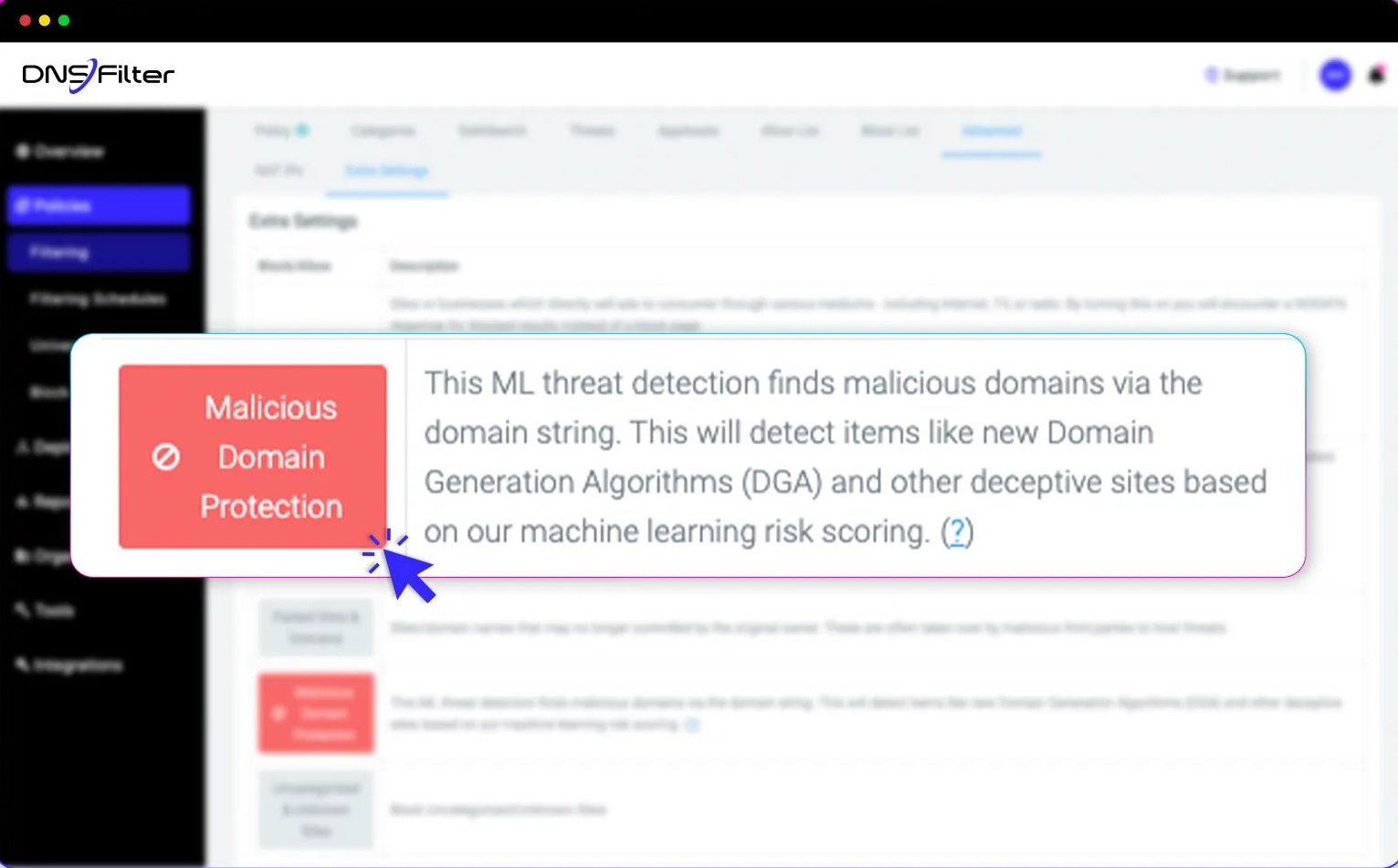
Source: DNSFilter
The platform blocks multiple threat types including malware distribution sites, phishing attempts, botnet C2 servers, ransomware domains, and cryptojacking sites. Every DNS query undergoes instant analysis against both AI models and continuously updated threat intelligence, with blocking decisions made in milliseconds on the world's fastest DNS network.
Comprehensive Content Filtering
DNSFilter provides granular content control with approximately 80 different content categories out of the box for policy-based filtering.
Categories span security risks like malware and phishing, productivity concerns including social networking and streaming media, and compliance-focused groups such as adult content, gambling, and CSAM.
The AppAware feature simplifies application control by allowing one-click blocking of over 100 applications. Instead of maintaining lists of hundreds of domains per application, administrators can block entire services like Discord, TeamViewer, or Microsoft 365 with a single toggle, valuable for organizations managing shadow IT risks or seeking to enforce productivity policies.
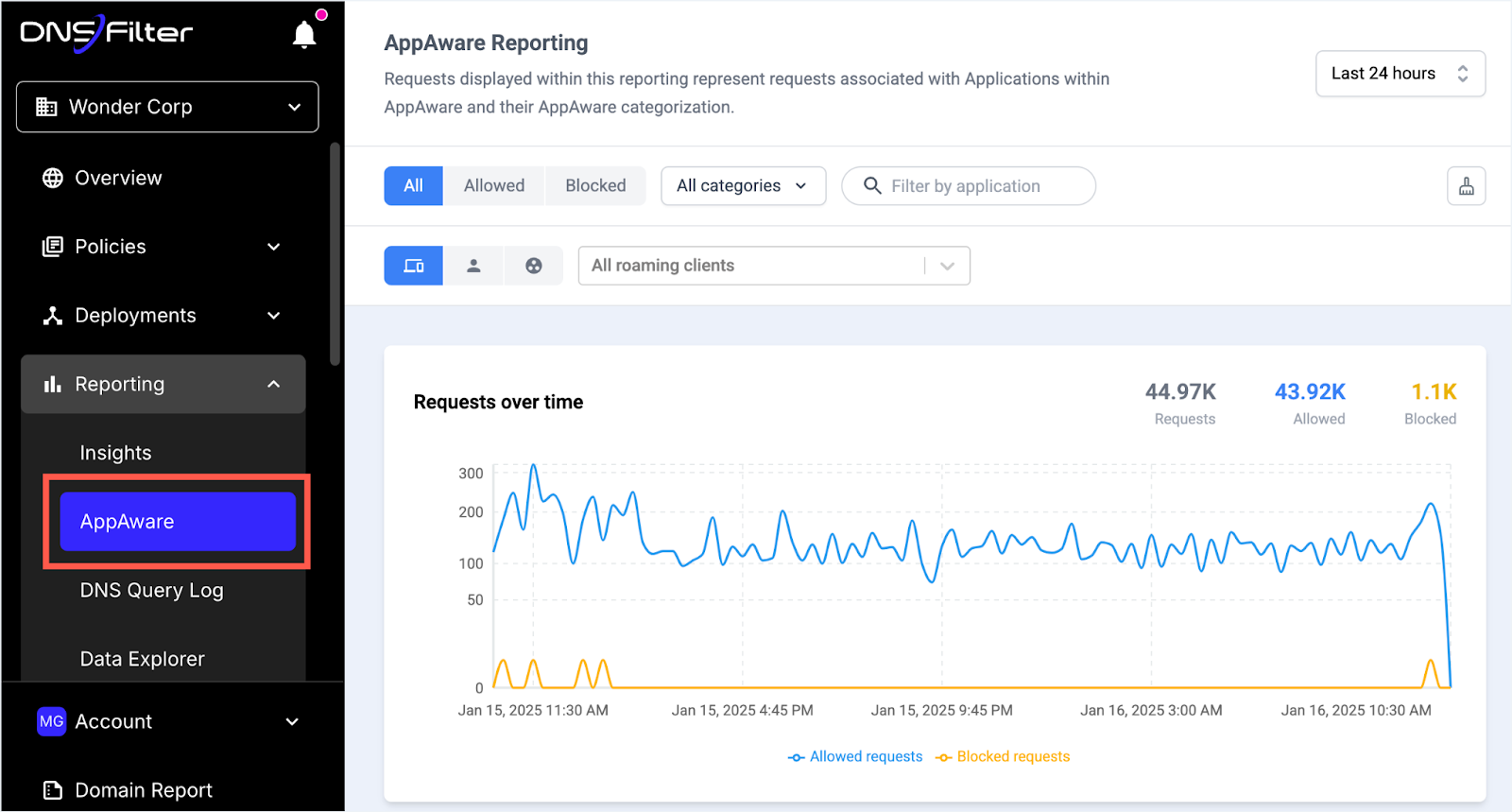
Source: DNSFilter
Policies can be applied at multiple levels: network-wide for consistent protection, per-user or per-group through Active Directory integration, and to roaming clients for off-network protection. SafeSearch enforcement on Google, Bing, and other search engines, plus YouTube Restricted Mode, provides additional content control without requiring proxy servers.
Minutes to Deploy, Not Weeks
DNSFilter's deployment model prioritizes extreme simplicity; a critical advantage when competing against complex infrastructure platforms.
Organizations point their DNS queries to DNSFilter's global Anycast network and achieve enterprise-grade protection in minutes through simple DNS forwarding configuration that requires no hardware, no software installation on servers, and no complex synchronization between appliances.
The dual Anycast network with 89 data centers across 69 cities ensures reliability and low latency. With no global outages in company history and automatic failover between networks, DNSFilter provides enterprise-grade reliability without infrastructure complexity. This super simple deployment is a key reason organizations switch from more complex solutions.
For organizations with remote workers, lightweight Roaming Clients for Windows, macOS, iOS, Android, and ChromeOS extend protection beyond the corporate network. These clients ensure consistent policy enforcement regardless of user location while providing device-level visibility in reports, all manageable through the same intuitive interface.
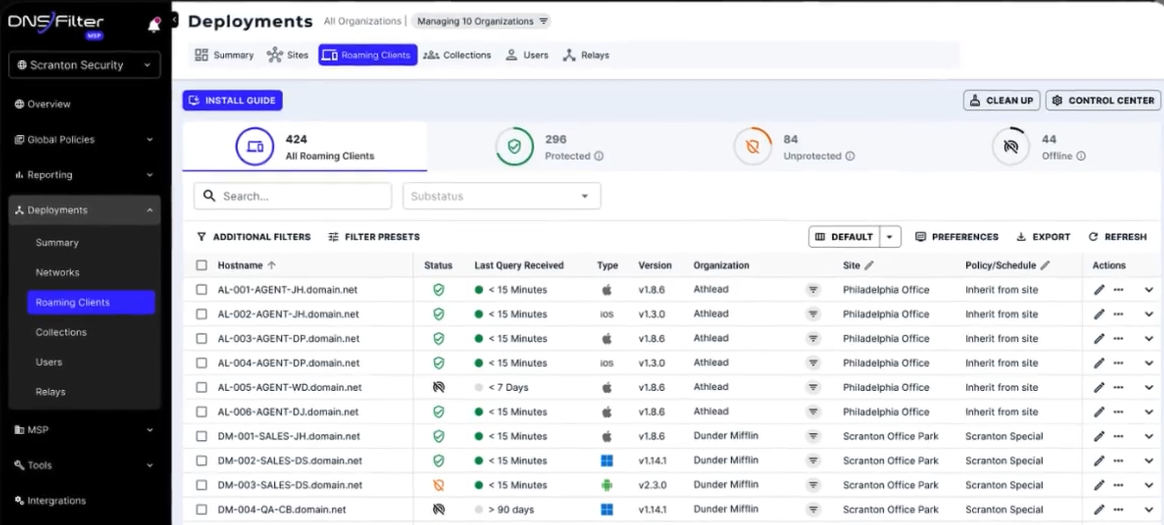
Source: DNSFilter
Purpose-Built for MSPs and the Middle Market
DNSFilter's architecture particularly excels for two key segments: MSPs and companies in the 1,000-5,000 employee range.
The multi-tenant dashboard allows MSPs to manage policies across all clients from a single interface, with branding options for branded service delivery.
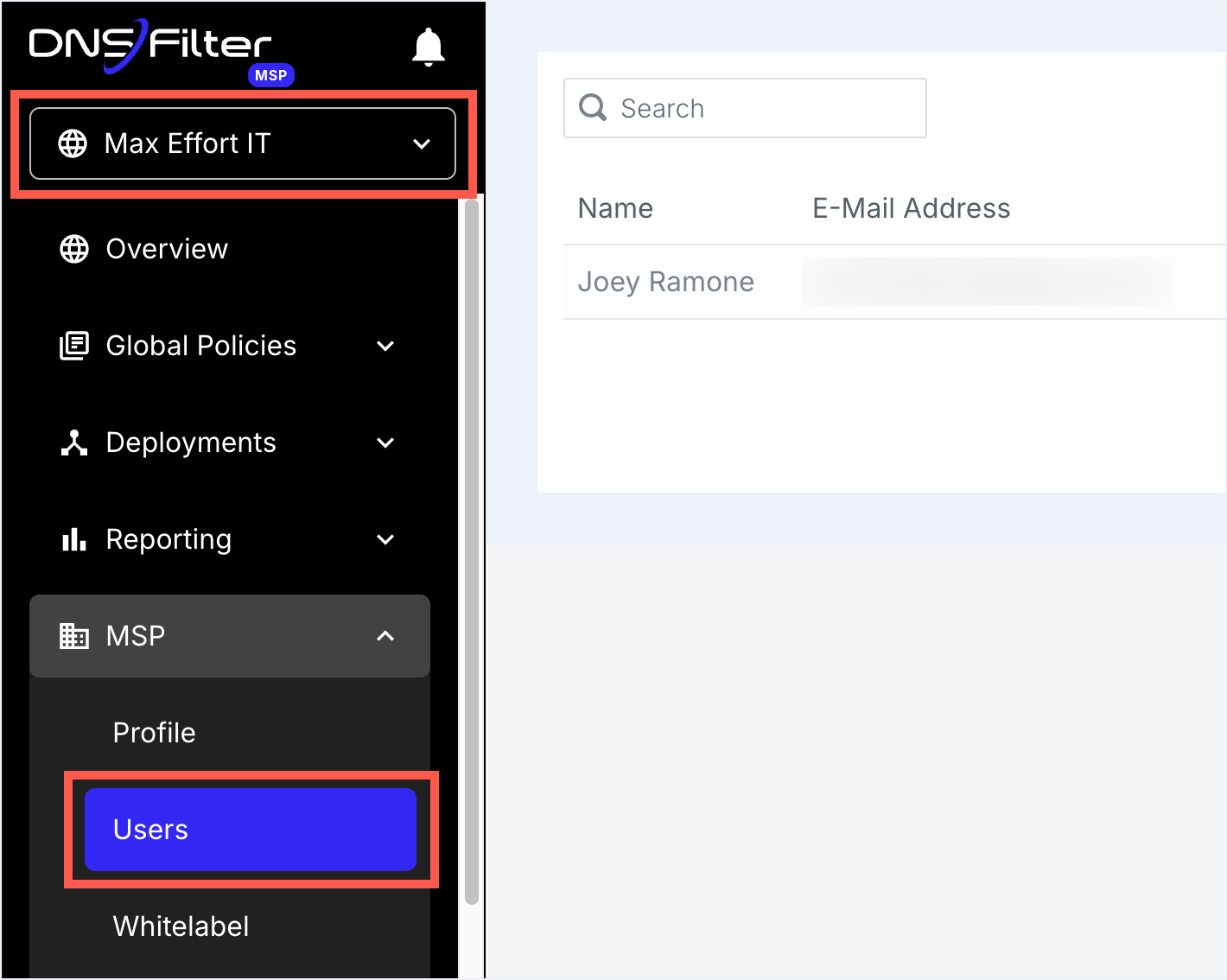
Source: DNSFilter
MSPs can start small and expand organically, adding new clients with zero friction as they grow.
Global policies can be applied across multiple client organizations while allowing customization where needed. Integration with PSA platforms like ConnectWise and Autotask streamlines billing and management. Pricing can start as low as $1 per user per month with minimums around $100/year for small companies, making it cost-effective to protect entire MSP client bases.
For mid-market companies with 1,000-5,000 employees—the sweet spot where organizations need enterprise-grade protection without enterprise complexity—DNSFilter delivers one of the best DNS security without requiring dedicated security teams. Unlike bundled solutions from networking vendors, DNSFilter focuses solely on being the best DNS security platform available.
Infoblox and DNSFilter: Workflow Comparison
|
Aspect |
Infoblox |
DNSFilter |
|---|---|---|
|
Primary Function |
DDI infrastructure management |
Advanced DNS security and filtering |
|
Core Strength |
Network service reliability and automation |
Finding threats 10 days sooner |
|
Deployment Model |
Grid architecture with appliances |
Cloud-based SaaS on world's fastest DNS network |
|
Deployment Time |
Days to weeks depending on scale |
Minutes to hours |
|
Typical Users |
Network infrastructure teams |
Security and IT teams |
|
Management Complexity |
High, requires dedicated expertise |
Super simple, intuitive interface |
|
Content Filtering |
Category filters with add-on licensing |
~80 categories + AppAware included |
|
Threat Detection |
Comprehensive with additional modules |
AI-powered detection, 10 days faster |
|
Sweet Spot |
Large enterprises with complex DDI needs |
1,000-5,000 employees and MSPs |
|
Cost Model |
High CapEx/OpEx for infrastructure |
From $1/user/month, $100/year minimum |
|
Switching Ease |
Complex migration project |
Simple DNS redirect, keeps existing infrastructure |
Final Verdict
Infoblox and DNSFilter serve basically different primary purposes in the enterprise technology stack, though both touch DNS services.
Understanding this distinction is crucial for making the right choice for your organization, especially considering that 80-90% of enterprises already have some form of DNS filtering deployed and are evaluating whether to switch, supplement, or consolidate.
Infoblox remains the gold standard for enterprises requiring robust DDI infrastructure management.
Its Grid architecture, automated IP address management, and unified DNS/DHCP/IPAM platform provide the foundation that complex networks demand. For organizations managing hundreds of network segments across multiple data centers and cloud environments, Infoblox's centralized control and proven reliability deliver essential infrastructure capabilities that go far beyond security.
DNSFilter offers one of the best alternatives specifically for DNS security, ideal for organizations prioritizing superior threat protection and operational simplicity.
Its ability to detect threats 10 days sooner than competitors, combined with deployment measured in minutes rather than weeks, makes it compelling for organizations that need world-class DNS security without infrastructure complexity. Companies in the 1,000-5,000 employee range and MSPs particularly benefit from its purpose-built features and straightforward deployment model.
See how DNSFilter compares to Infoblox and start your free trial today.
Organizations face several deployment scenarios.
Large enterprises with complex infrastructure may run Infoblox for DDI while adding DNSFilter as their dedicated DNS security layer, achieving defense-in-depth with best-of-breed solutions for each function. Mid-market companies often find DNSFilter alone provides all the DNS security they need without the overhead of full DDI infrastructure, especially when they don't require DHCP and IPAM management.
MSPs consistently choose DNSFilter for its multi-tenant capabilities, simple deployment across diverse client environments, and ability to expand organically.
For organizations currently using bundled DNS security from networking vendors or older filtering solutions, DNSFilter offers switching incentives and guarantees deployment simplicity. The platform's singular focus on being the best DNS security solution available, rather than a module in a larger suite, means faster threat detection, easier management, and better protection against the thousands of new malicious domains appearing daily.
The choice ultimately depends on your primary need: comprehensive infrastructure management or superior DNS security.
Those requiring full DDI capabilities with available security add-ons should evaluate Infoblox. Organizations seeking the fastest threat detection, simplest deployment, and purpose-built DNS security will find DNSFilter delivers exactly what advanced buyers expect from a best-of-breed solution.
In an increasingly dangerous threat landscape, many organizations are finding that having both - Infoblox for infrastructure, DNSFilter for security - provides the optimal combination of reliability and protection.

 SecureTransit for MSPs: Digital Privacy Without Another Tool to Manage
MSPs need to boost client security without sacrificing efficiency or margin. Every extra tool, console, or license just adds overhead and slows down service delivery.
Privacy is a classic example. Clients want their remote and hybrid users protected from the networks they connect through and the trackers profiling them, but most solutions add another siloed tool and more operational work.