
by Aliese Alter on Aug 2, 2021, 12:00:00 AM
Data can be overwhelming, but when it can be easily digested, it is a powerful tool to translate data into decisions. This is exactly the mission of DNSFilter’s Insights Reporting feature.
The first iteration of Insights Reporting was launched in April 2021. However, our Product team always strives to iterate and improve, ensuring the DNSFilter product stays both relevant and novel. As a result, we're excited to announce Insights improvements!
You may have already seen a preview of this release, as it was launched on July 29th. These improvements give you access to more data such as MAC addresses, domain categories, and searchable domains. Here’s an overview of what’s new and what’s improved.
Login to take advantage of our updates to Insights.
Detailed category reports
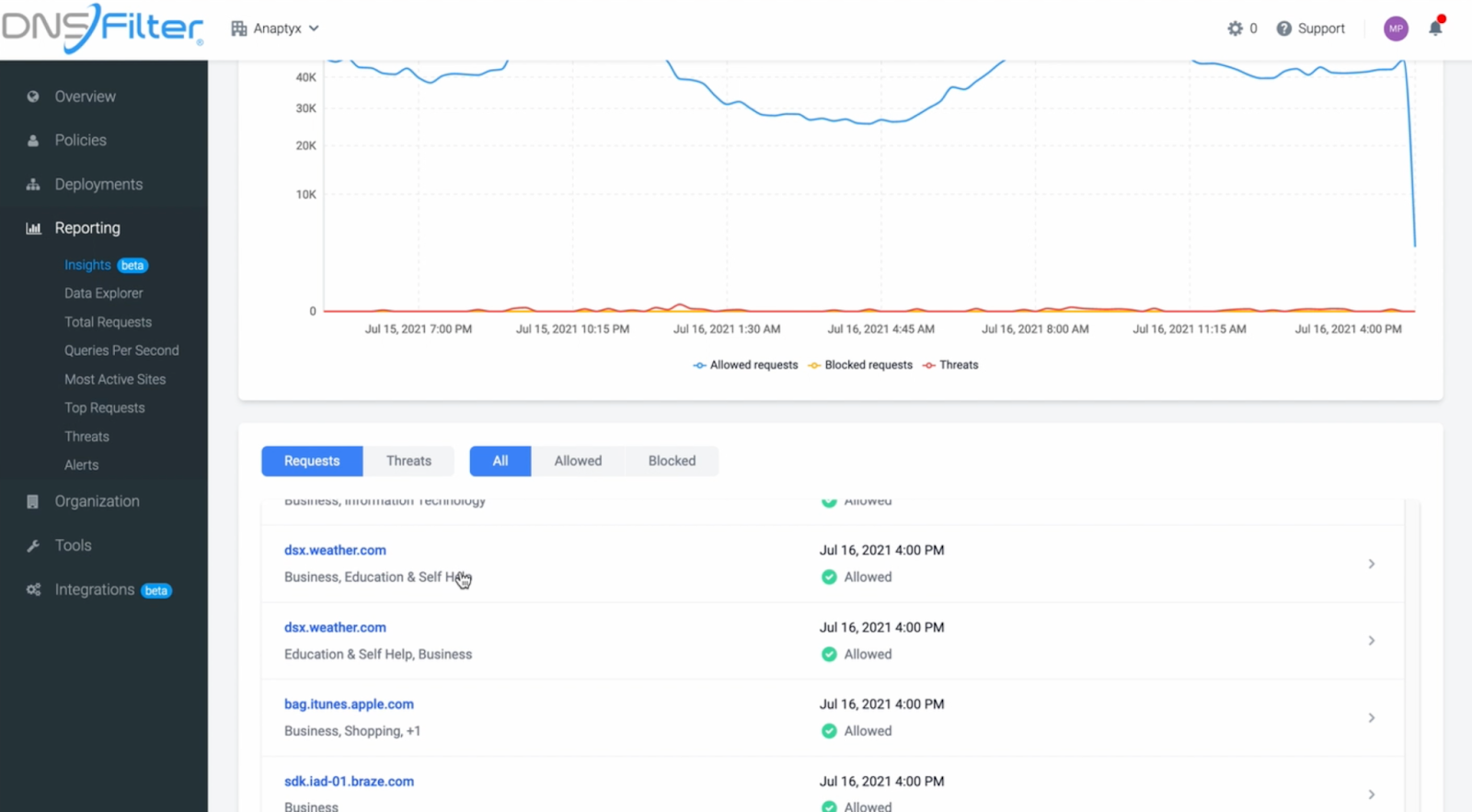
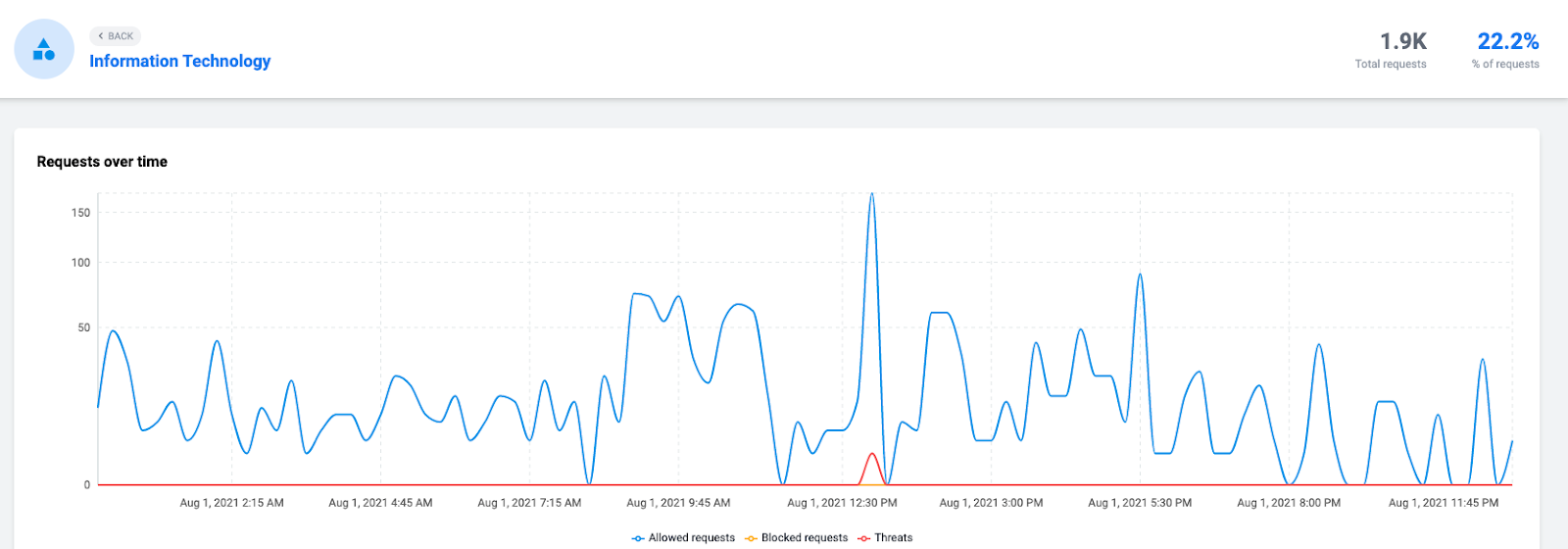
A new category breakdown is now available. You can review aggregate data for the whole organization or isolate a single site.
Dive deeper by clicking on the category name to review raw DNS queries for a specific category.
View domain categories at-a-glance
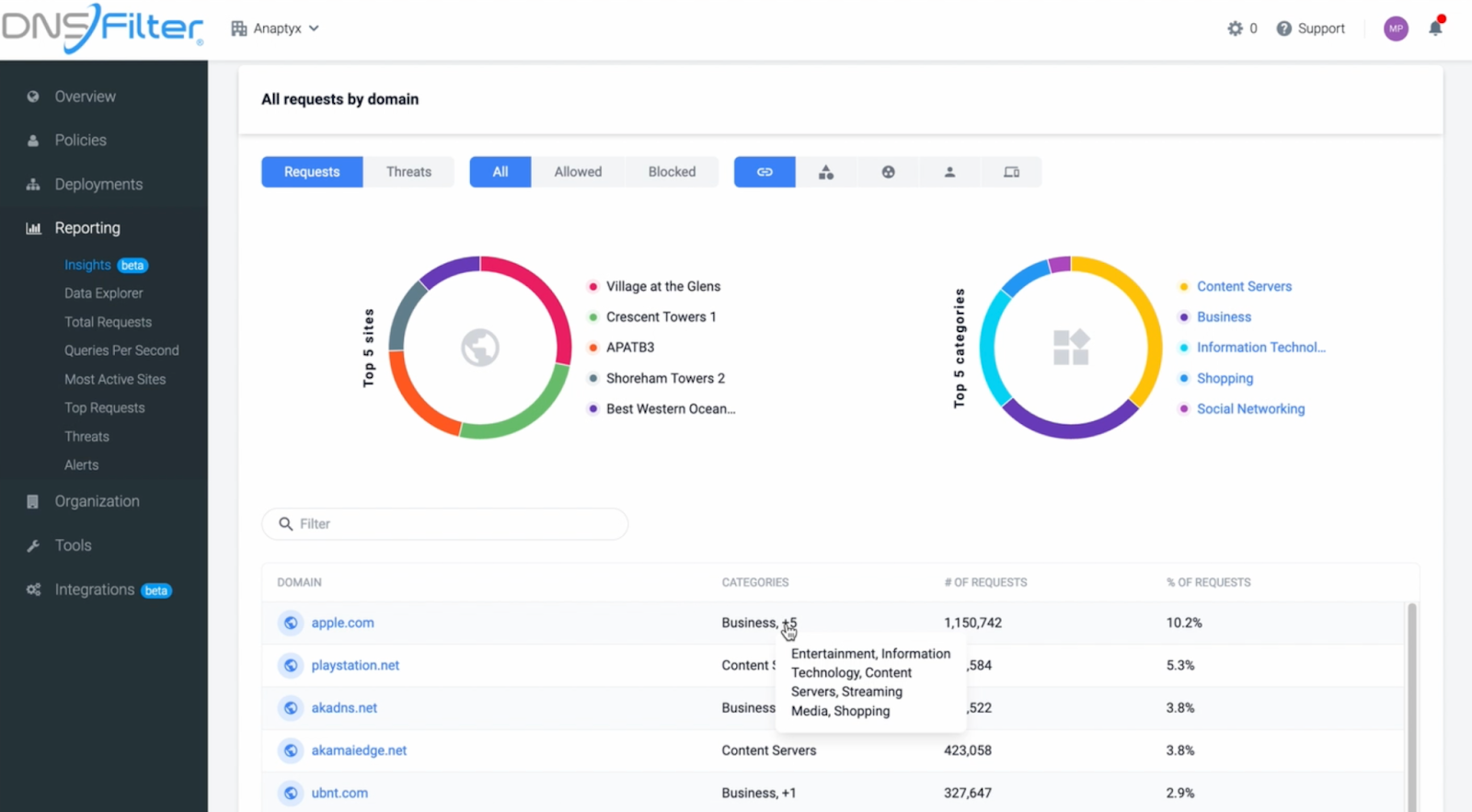
Finally, when you’re looking at domains you can hover over the category in the “Categories” column for a full list of all of the categories that domain falls into. The category names link to the same detailed category report mentioned above.
Searchable domains
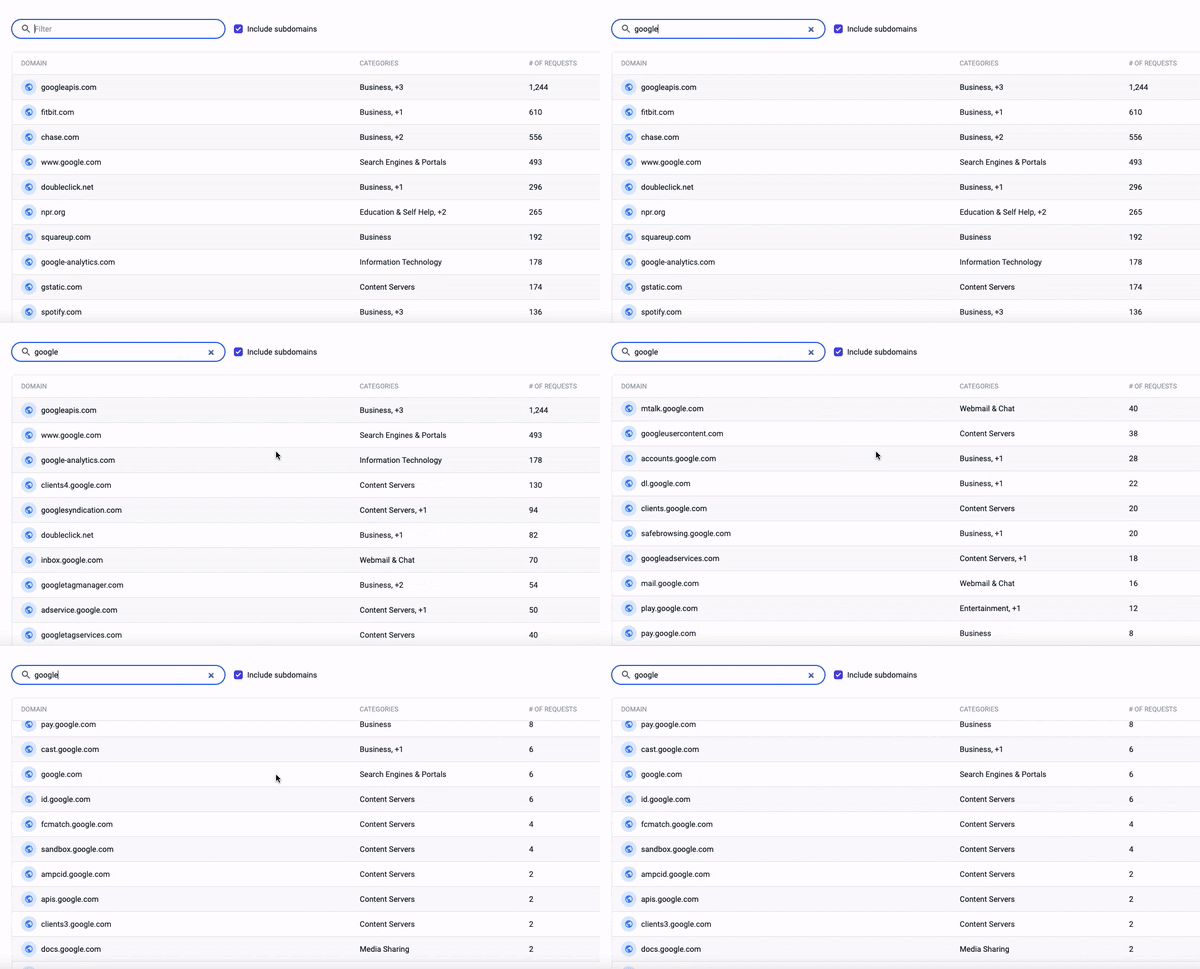
Now you can search domains (including subdomains!) in Insights. You can also search for categories. If you want to include subdomains in your search, make sure you toggle that on.
This will make it easier for you to check on domains that were recently accessed. Whether you need to block or allow that domain, you’ll be able to see how trafficked that particular domain is.
Mac address now in the query log
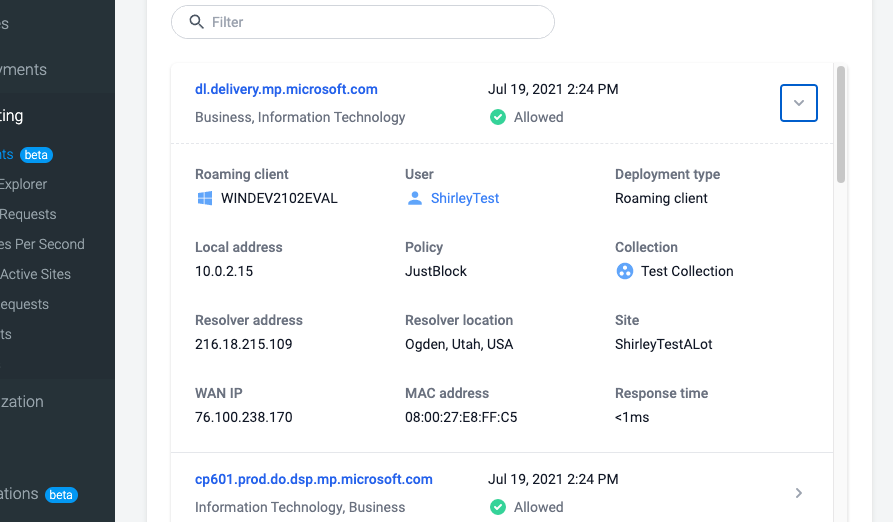
Now you can view MAC addresses in endpoint reports. Click into a domain, and you’ll be able to see the MAC address in addition to the site, collection, and deployment type that a user belongs to.
This feature is not available on all roaming clients at this time but we are working to bring MAC address to all.
View our changelog to see more recent updates made to DNSFilter.
 DNSFilter Is Now Available in the Sherweb Marketplace
We're excited to share that DNSFilter is now available in the Sherweb Marketplace, giving Sherweb's community of MSPs a simple way to add protective DNS and content filtering to the services they already deliver.
 What Web Filtering Compliance Requirements Actually Mean: CMMC, HIPAA, CIPA & PCI DSS Mapped
CMMC wants boundary protection and network monitoring. HIPAA cares about protecting electronic health data. CIPA calls for a technology protection measure. PCI DSS divides its requirements into network security, malware defense, logging, and intrusion detection. In short, web filtering compliance requirements are scattered.
 Shadow AI Is Already Causing Security Incidents
Every IT team knows employees are using AI tools nobody approved. Most have accepted it as a cost of doing business. Our new research shows that cost is already being paid in security incidents.


