
Skip to content

Protect Every Click

AI-powered DNS filtering + threat blocking stops attacks 10 days earlier, trusted by 45,000+ organizations worldwide.


6,000+

MSP partners

45,000+

Organizations protected

235M

Threats blocked daily

200B

Daily queries


msp

MSP Partners

Trusted by more than 6,000 partners around the world.

enterprise

Enterprise

Protect every click your team makes on any device.

smb

SMB

Features you need now with the capacity to scale later.

dnsfiltering

DNS Filtering

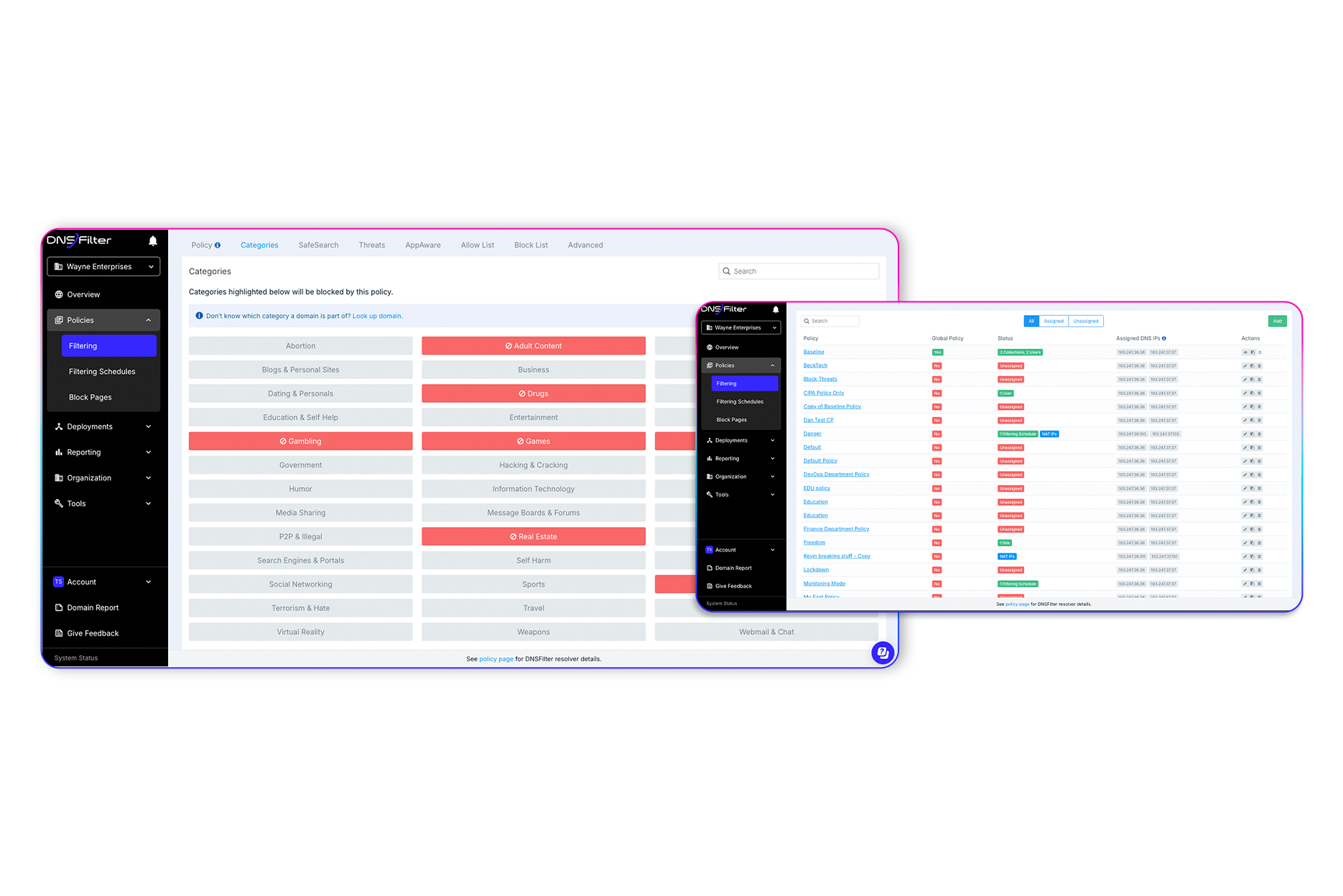
DNS security and content filtering for every need

Every internet connected device is vulnerable. We'll keep your network safe–no matter the size—with our award-winning protective DNS solution.

Enterprise & SMB
Education
Government
MSP
Non-Profit

roamingclients

Remote Protection

Protective DNS wherever your users roam

Prevent access to unwanted and malicious content on all devices, on and off your network.

Enterprise & SMB
Education
Government
Non-Profit
Hybrid Workplaces

singlesignon

CyberSight

User Behavior Analytics

Accelerate investigations, minimize exposure from shadow IT, and optimize SaaS spend.

Enterprise & SMB
Education
Government
MSP
Healthcare
protectivedns Malicious Domain Protection

Stay protected with next-gen machine learning

DNSFilter learns a little bit more with every inbound DNS query. We leverage machine learning techniques to discover threats before third-party feeds.


Enterprise & SMB
Education
Government
Healthcare

insightsreportinganycastnetworkanycastnetwork

Anycast Network

Speed, stability, scale

There's fast and then there's the world's fastest DNS resolver, DNSFilter's Dual Anycast network. You could be doing anything on the internet, we'll make whatever it is happen faster.

Enterprise & SMB
Education
MSP
Hotel

publicwifi

Public Wi-Fi

DNS threat protection for the bring-your-own-device age

Public Wi-Fi is a great service to offer your customers, but it can leave them vulnerable to phishing and malware attacks. Your business should be a safe space from the usual internet threats.

Hotel
Education
Retail
Enterprise & SMB
Healthcare

insightsreporting

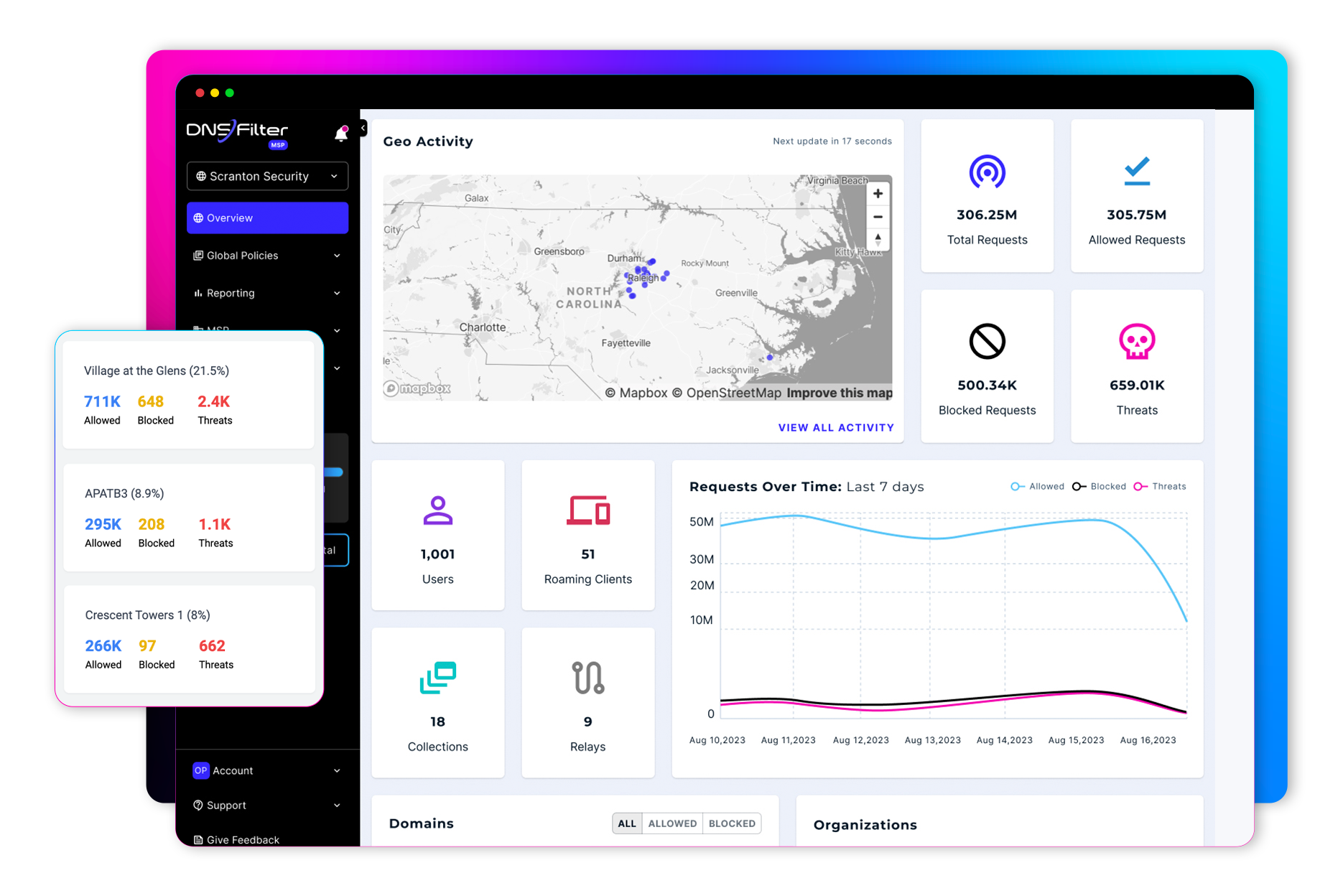
Insights Reporting

Discover vulnerabilities with intuitive insights reporting

In your dashboard, you can view and export network activity and security reports, or you can delve into detailed logs for even more actionable data.

Enterprise & SMB
Education
Government
MSP

appaware

Appaware

Protect against threats with application blocking

View all the applications your users are accessing and easily block all of the domains associated with a single app

Enterprise & SMB
Education
Government
MSP
Healthcare

insightsreportinguniversallists

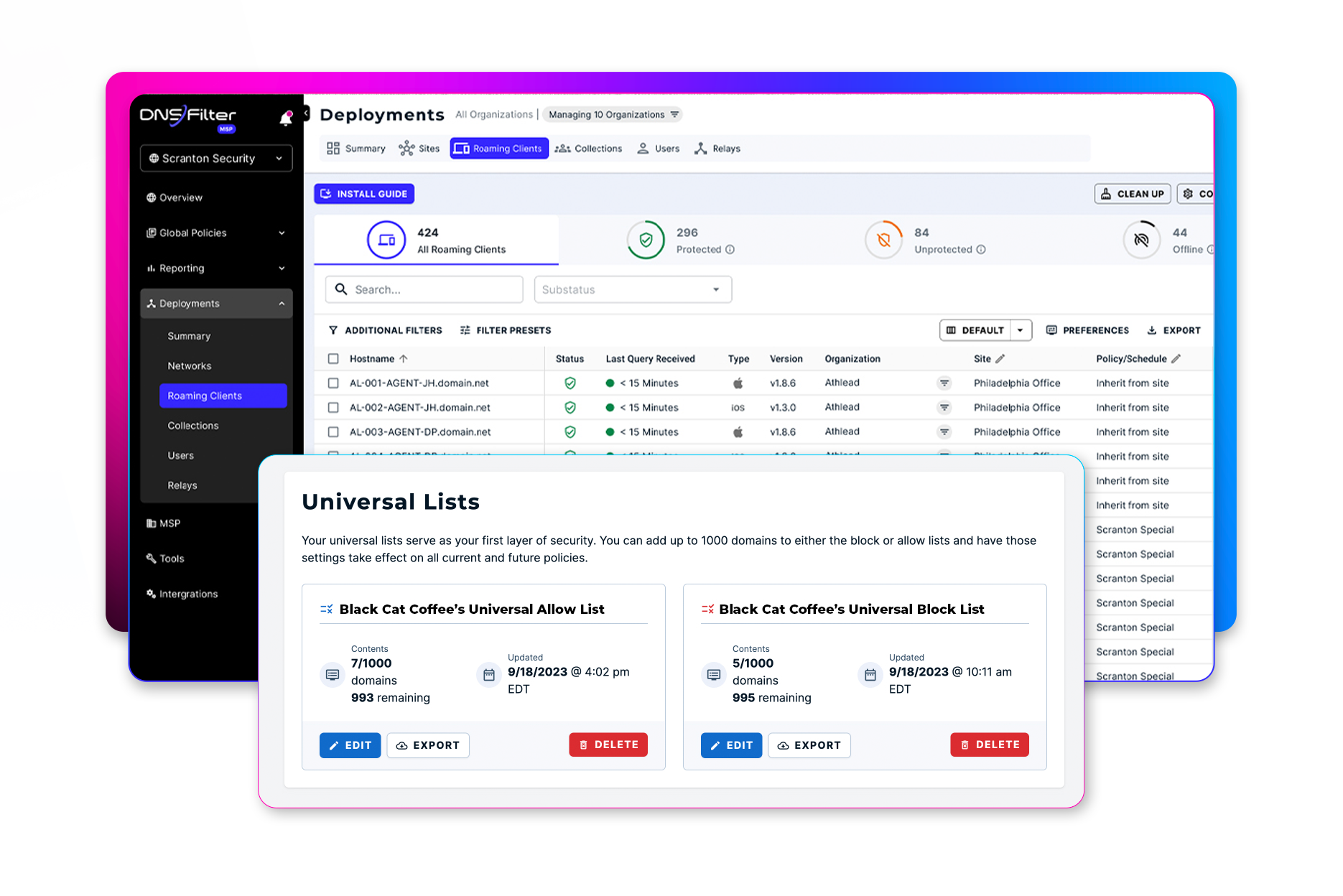
Universal Lists

Save valuable time with universal block and allow lists

No more managing separate policies to define which domains should or should not be accessed. Add as many domains to your single block or allow list as you'd like and make changes easily.

Enterprise & SMB
Education
MSP
Hotel
Retail

Try DNSFilter in a Guided Product Tour

Take a guided product tour and build AI-powered content, threat, and app filtering policies—then deploy them to a site in just minutes. It's a fast, interactive way to see how DNSFilter delivers protective DNS without the complexity of firewalls or traditional gateways.

Every layer of DNS security, in one place

Block threats before they resolve, on every device, anywhere your users work.

filtering

DNS Filtering

Block malicious and unwanted domains at the DNS layer, before they ever load.

Learn more →

malicious-domain-protection

Malicious Domain Protection

Catch newly registered and weaponized domains the moment they turn hostile.

Learn more →

reporting

Insights Reporting

See network and security activity at a glance, then drill into detailed logs.

Learn more →

remote-protection

Remote protection

Keep users protected on and off your network, on every device they use.

Learn more →

anycast-network

Anycast Network

Resolve every query at the nearest global point of presence, in milliseconds.

Learn more →

appaware

AppAware

See which apps your users touch, and block every domain behind them at once.

Learn more →

cibersight

Cybersight

Surface shadow IT, speed up investigations, and cut wasted SaaS spend.

Learn more →

public-wifi

Public Wi-Fi

Give guests a filtered, compliant connection with no extra hardware.

Learn more →

lists

Universal Lists

Keep one block and allow list for every policy, and update it once.

Learn more →


IT'S ALWAYS DNS

Explore the power of protective DNS in 60 seconds

Learn more about protective DNS and how DNSFilter can protect your organization from cyber threats.

Customers love us, threats hate us

“DNSFilter is an impressively simple yet powerful security tool.”
DNSFilter is an impressively simple yet powerful security tool. Its interface is easy to navigate, making it accessible even for teams without deep technical expertise. Despite its simplicity, it offers a wide range of advanced features—content filtering, threat protection, reporting, and policy management—that make it a reliable choice for organizations of all sizes. On top of that, its pricing is very budget‑friendly, delivering excellent value without compromising capability.

Frequently Asked Questions


What is DNS filtering?

DNS filtering blocks access to malicious or unwanted websites by checking every DNS request against security and content policies before the connection is made.

Because it works at the DNS layer, it protects every device on or off your network, with no extra hardware or browser plugins. 

Is DNS filtering the same as web filtering?

No. Web filtering inspects pages after a connection is made, often through a proxy or browser plugin. DNS filtering blocks the connection itself, before any content loads. It is faster, works on every device, and stops threats that never reach the browser.

What is protective DNS?

Protective DNS (PDNS) is a security service that blocks DNS requests to known malicious domains. The NSA and CISA recommend it as a baseline defense. DNSFilter adds AI-based threat detection and content controls on top of that baseline.

How fast can DNS filtering be deployed?

Most organizations deploy DNSFilter in under an hour. Point your network's DNS to DNSFilter, or install the Roaming Client on devices that leave the office. No hardware to rack, no appliances to maintain.

Can DNSFilter act as a DNS blocker for specific sites or apps?

Yes. Block individual domains, entire content categories, or whole applications with one click using AppAware. Universal block and allow lists apply your rules everywhere at once.

Back to top