
CyberSight: User Behavior Analytics
Accelerate investigations, surface threat trends, minimize exposure from shadow IT, and optimize SaaS spend
Stop Guessing, Start Seeing: Gain Unparalleled Visibility into Shadow IT with CyberSight

|

|
of employees acquiring tech outside IT by 2027 (Gartner)
of breaches involve Shadow IT (IBM)
Total average annual cost of insider security incidents
additional cost of data breaches when Shadow IT is involved
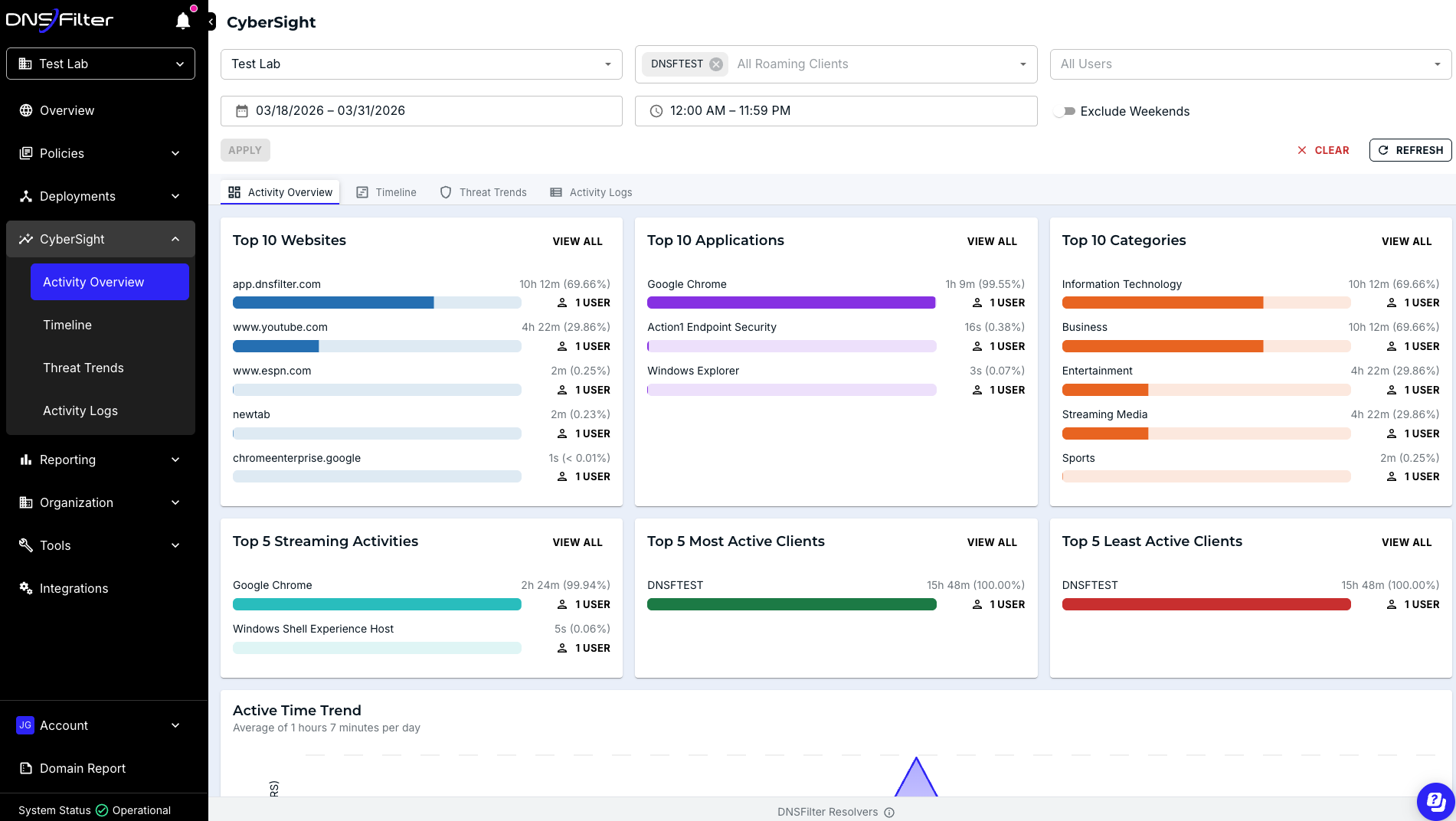
Full URL Visibility
Get full URL visibility coupled with application usage and device-state changes in a single chronological event timeline.
Investigate incidents faster by knowing who, what, and when.
Find the fix, close the ticket with higher confidence and lower MTTR.
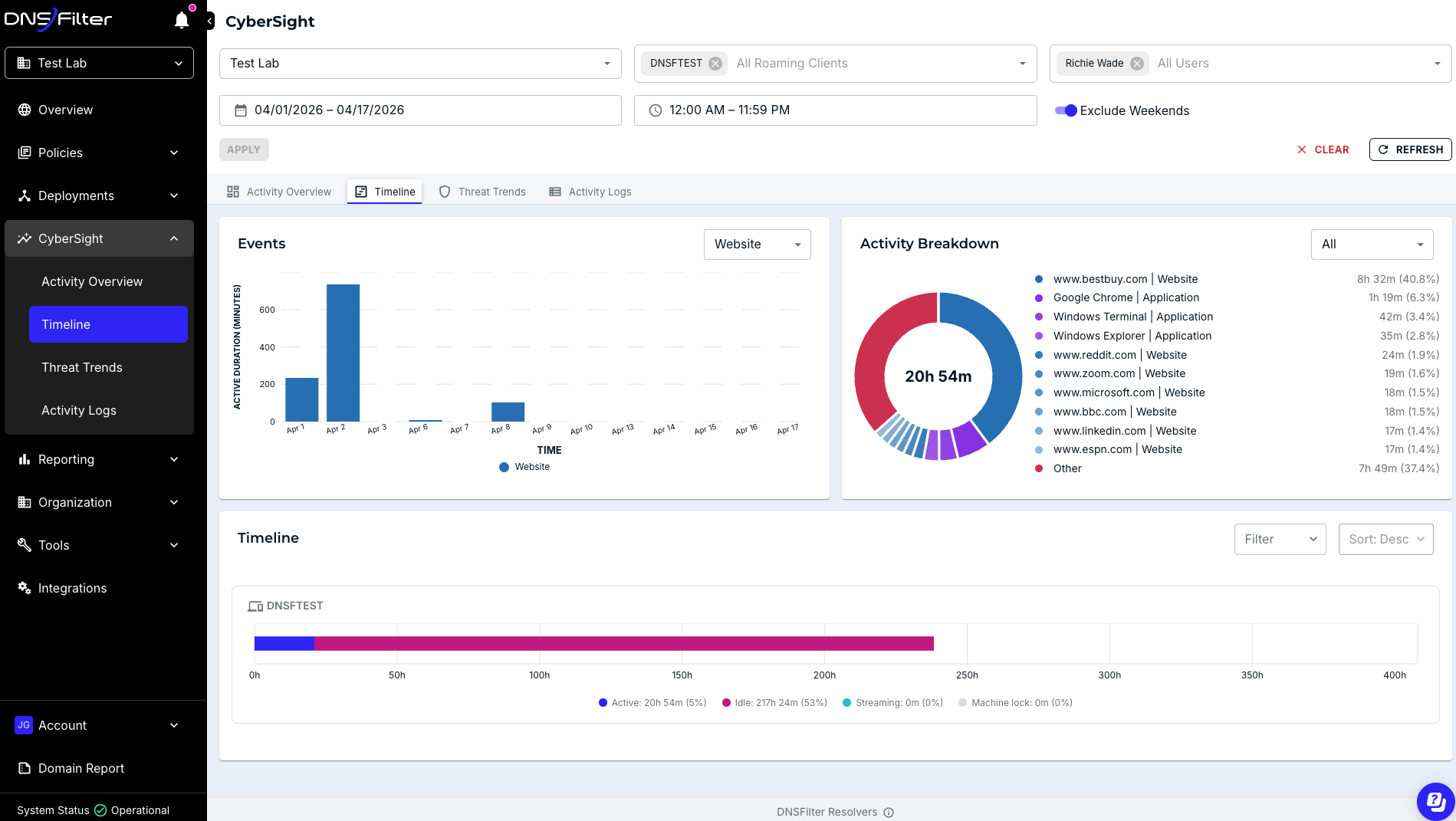
Chronological Timelines
Reconstruct what happened. CyberSight’s Timeline provides a chronological, hour-by-hour view of user activity designed for incident investigation. It shows active time, idle time, streaming, and device states alongside a filterable events chart and top-activity breakdown.
When you need to understand the full sequence of events around a security incident, the CyberSight Timeline compresses multi-tool, multi-day investigations into a single view. Drill into any point on the events chart to jump directly to the underlying activity logs.
Threat and Risk Insight
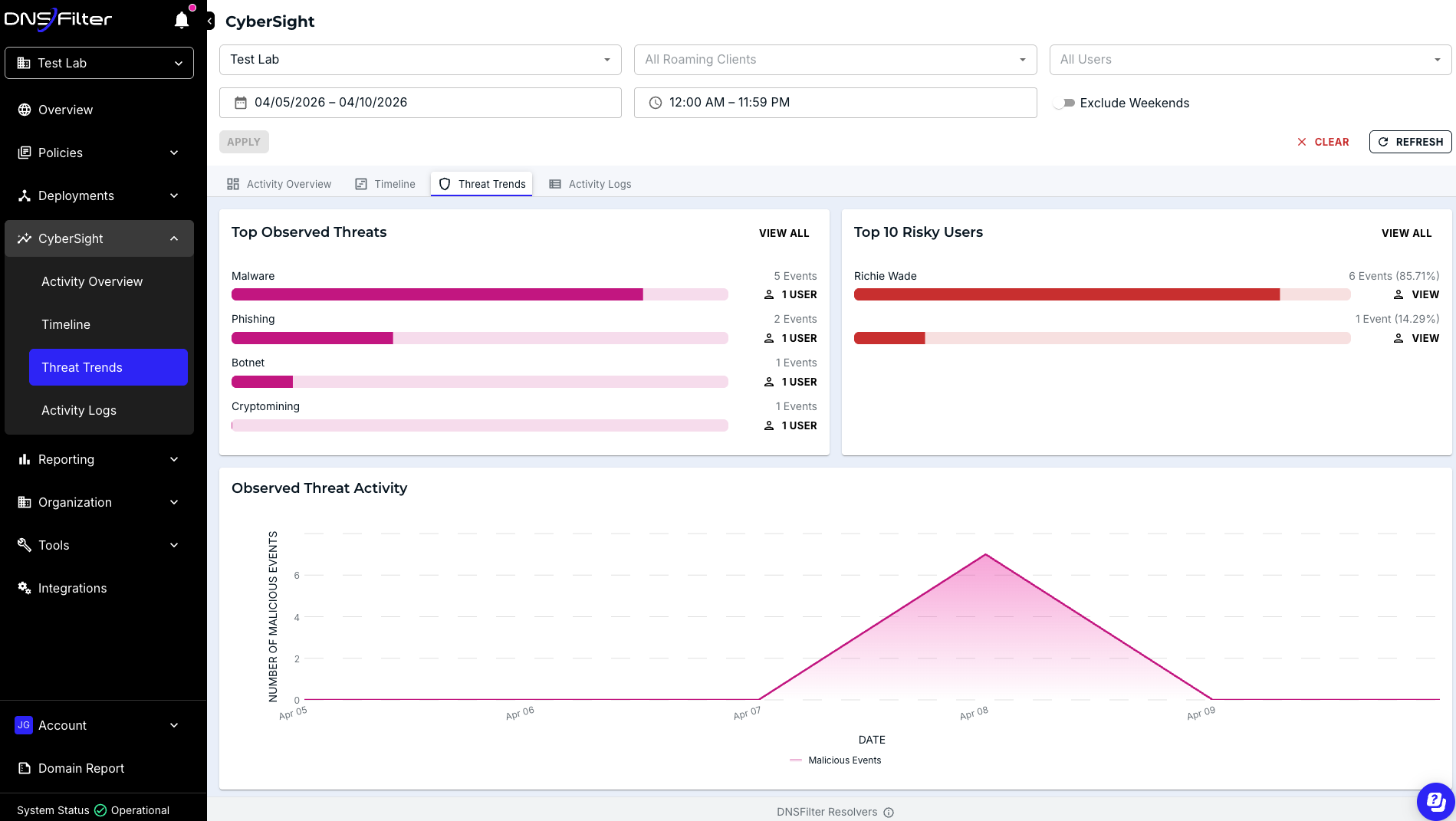
Know where risk is concentrated across your environment. CyberSight’s Threat Trends aggregates threat intelligence across your users and surfaces what matters, without requiring you to manually filter through individual event logs.
See which threat categories are appearing most frequently, identify your riskiest users at a glance, and track whether observed threat activity is increasing or decreasing over time.
All threat data is exportable via CSV through the API for reporting and integration into your existing workflows.
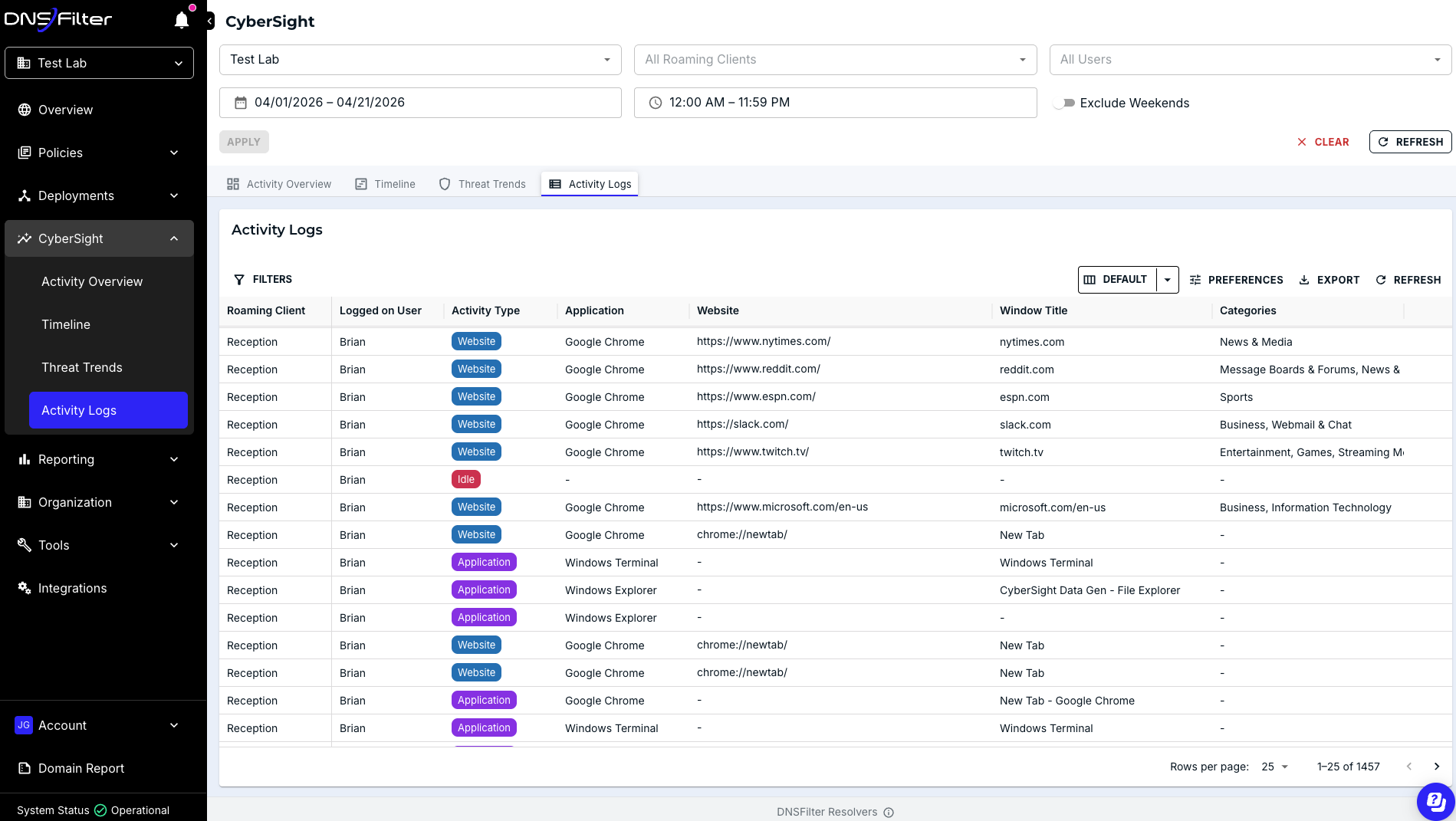
User Behavior Activity Logs
Understand exactly which applications and websites your users are visiting, which devices they’re using, what they are doing, and for how long.
Find unauthorized/unmanaged apps and shadow IT. Surface early indicators of compromise based on anomalous behavioral patterns and unexpected activity—such as new applications opening while the device is idle or unfamiliar websites loading automatically.
Close security gaps and reduce potential exposure through proactive policy monitoring and updates.
CyberSight Benefits
Faster Investigation and Response Times
A chronological timeline of user activity gives you the full story of the actions leading up to and following an alert. Use this with Threat Trends to see where risk is concentrated across your environment, and you’ll move from alert to resolution faster.
- Reconstruct user activity before, during, and after an incident
- Identify your highest-risk users and most frequent threat categories
- Validate alerts with confidence and pinpoint the root cause quickly
Smarter Business and IT Operations
Uncovering unauthorized application usage has never been easier. Mitigate shadow IT and understand exactly what is happening on your network.
- Close security gaps by finding unapproved or unmanaged software
- Minimize exposure by identifying early indicators of insider risk
- Easily diagnose operational issues by correlating device activity with outages or service interruptions
Lower SaaS Costs, Less Administrative Work
Beyond security, CyberSight delivers operational intelligence that you can use to make better decisions.
- Reduce unused or underused SaaS licenses and deliver measurable cost savings
- Regain control over your SaaS stack without manually collecting information across siloed business teams
CyberSight Frequently Asked Questions
How is CyberSight deployed?
CyberSight deploys as a browser extension with Windows Roaming Clients v3.1.0+ installations. For more information, visit our Knowledge Base.
Does CyberSight filter?
CyberSight by DNSFilter shines a light on application and web activity across the environment—delivering clear, actionable insight into user behavior and emerging risk. This visibility-first approach lays the foundation for expanded enforcement capabilities already on the roadmap, including filtering for insecure URLs and applications.
What packages include CyberSight?
CyberSight is available in the Pro and Enterprise packages for no additional costs.
What is the retention period for CyberSight data?
The retention period for CyberSight data is one year.
Does CyberSight log all user activity or only specific monitored events?
CyberSight logs all user activity, including full URL logs, application usage, login/logout, machine lock, and idle time. This comprehensive logging is crucial for providing full context during incident response.
What is the idle time threshold for CyberSight's activity logging?
CyberSight sets the idle clock at 2 minutes of inactivity before marking a user as idle. However, it intelligently differentiates between inactivity and active engagement in streaming activities like meetings or training videos.
Better control, stronger security—wherever your users go.
Start your free trial today and experience the power of DNSFilter's Roaming Clients.